
Outbound Tool Actions
Outbound tool actions allow workflows to send information to external platforms and automate actions outside of Master Inbox.
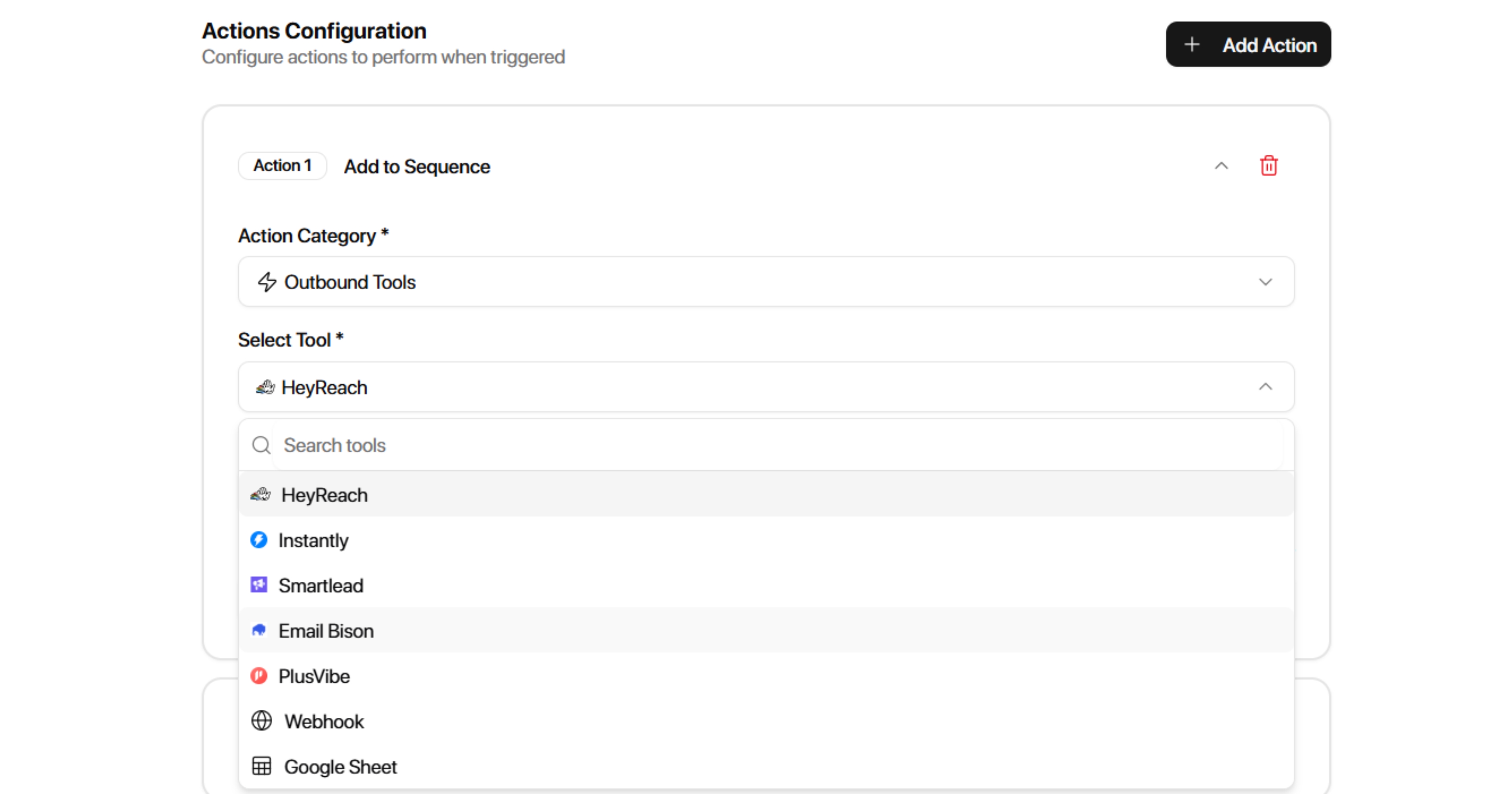
Supported outbound tools include:
HeyReach
Instantly
Smartlead
EmailBison
PlusVibe
Webhook
Google Sheets
Select an outbound tool and then choose the action you want Master Inbox to perform.
HeyReach
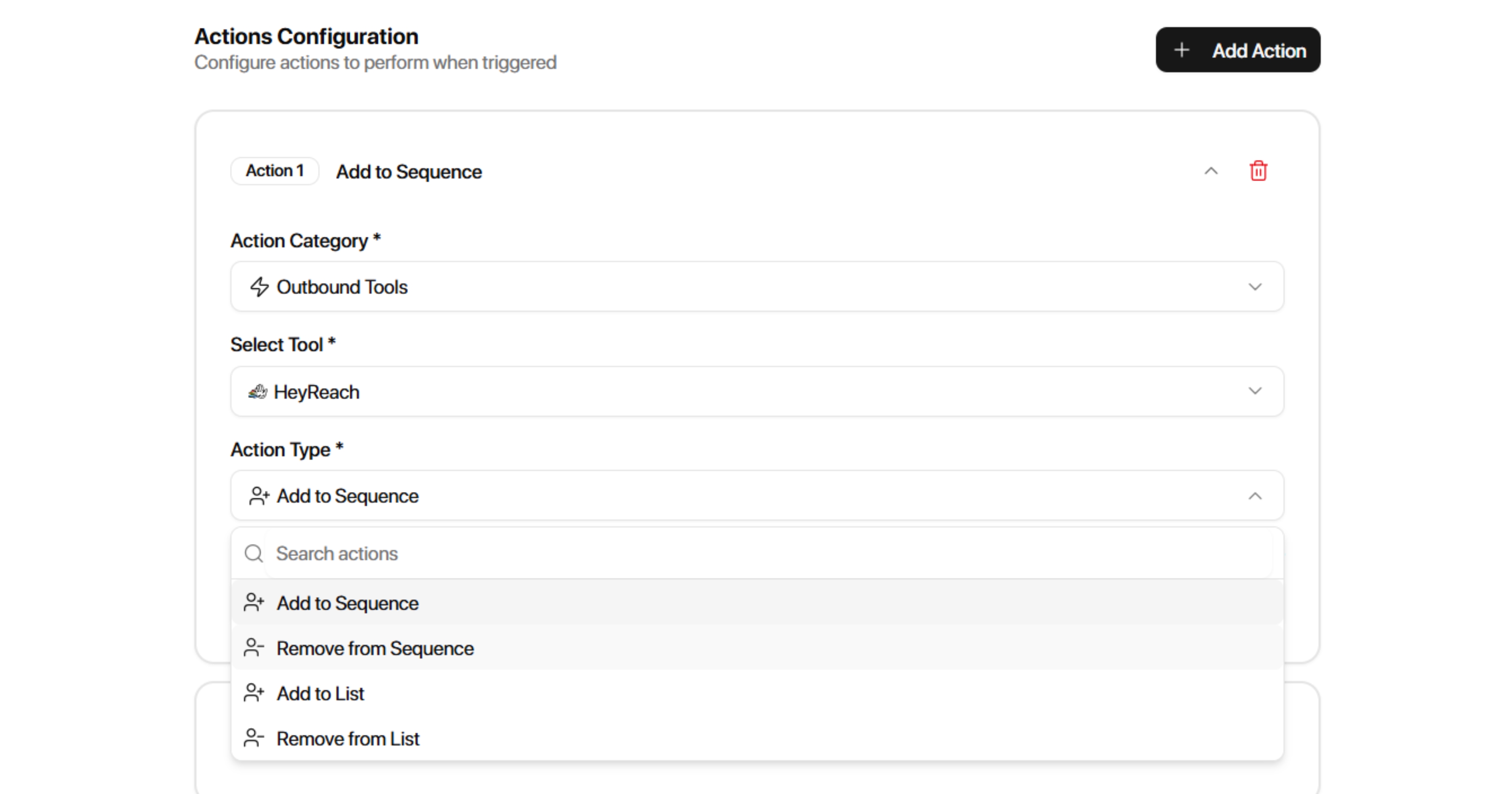
HeyReach actions allow workflows to automatically manage campaigns and lists inside HeyReach.
Available Actions
Add to Sequence
Adds a prospect to a selected HeyReach campaign.
Configuration:
HeyReach Campaign
Remove from Sequence
Removes a prospect from a selected HeyReach campaign.
Configuration:
HeyReach Campaign
Add to List
Adds a prospect to a selected HeyReach list.
Configuration:
HeyReach List
Remove from List
Removes a prospect from a selected HeyReach list.
Configuration:
HeyReach List
Instantly
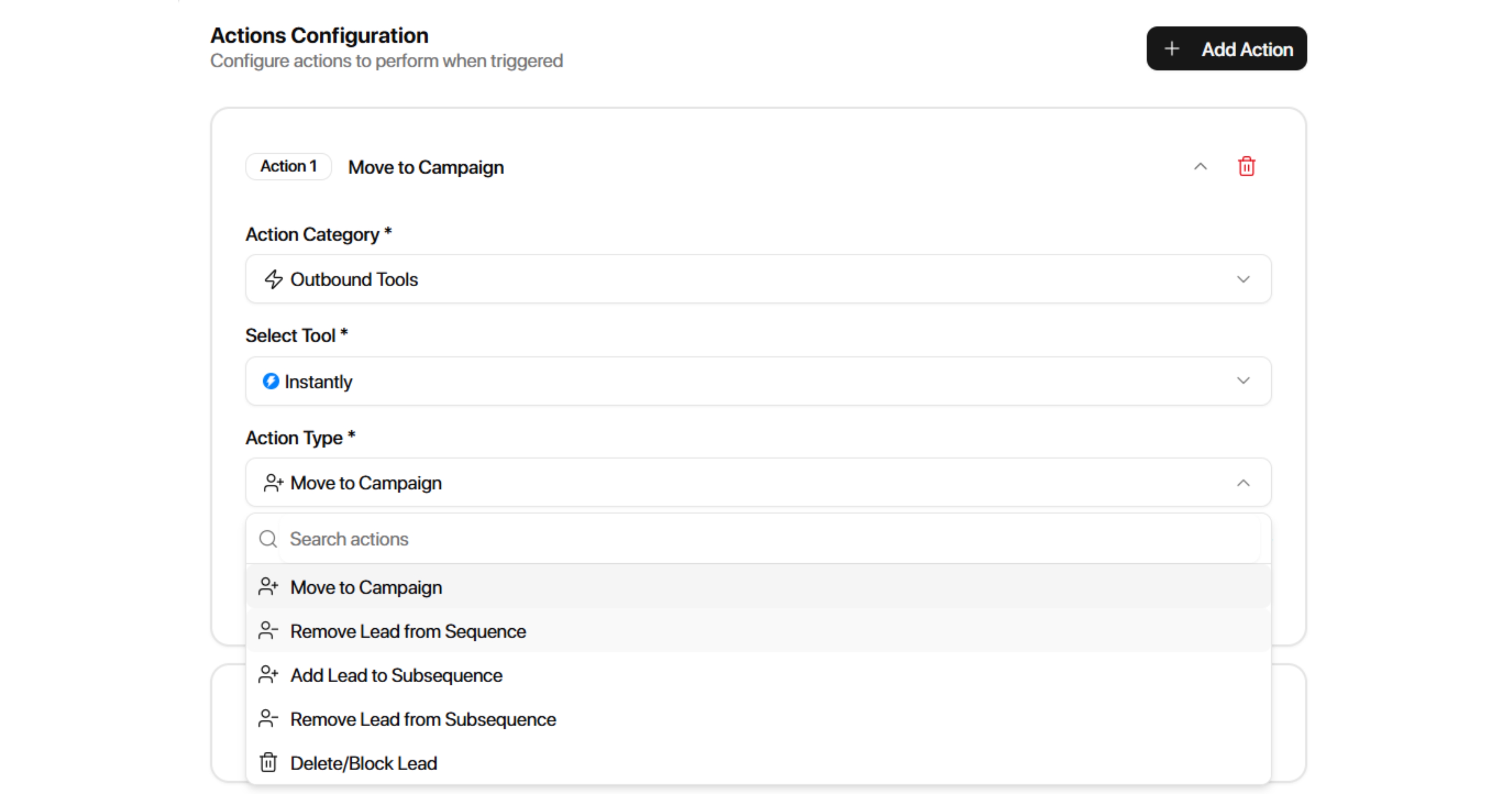
Instantly actions allow workflows to manage prospects inside Instantly campaigns and subsequences.
Available Actions
Move to Campaign
Moves a lead into a selected Instantly campaign.
Configuration:
Instantly Campaign
Remove Lead from Sequence
Removes a lead from a selected Instantly campaign.
Configuration:
Instantly Campaign
Add Lead to Subsequence
Adds a lead to a selected Instantly subsequence.
Configuration:
Instantly Campaign
Instantly Subsequence
Remove Lead from Subsequence
Removes a lead from a selected Instantly subsequence.
Configuration:
Instantly Campaign
Instantly Subsequence
Delete Lead
Deletes a lead from the selected Instantly campaign.
Configuration:
Instantly Campaign
Block Lead
Blocks a lead inside the selected Instantly campaign.
Configuration:
Instantly Campaign
Smartlead
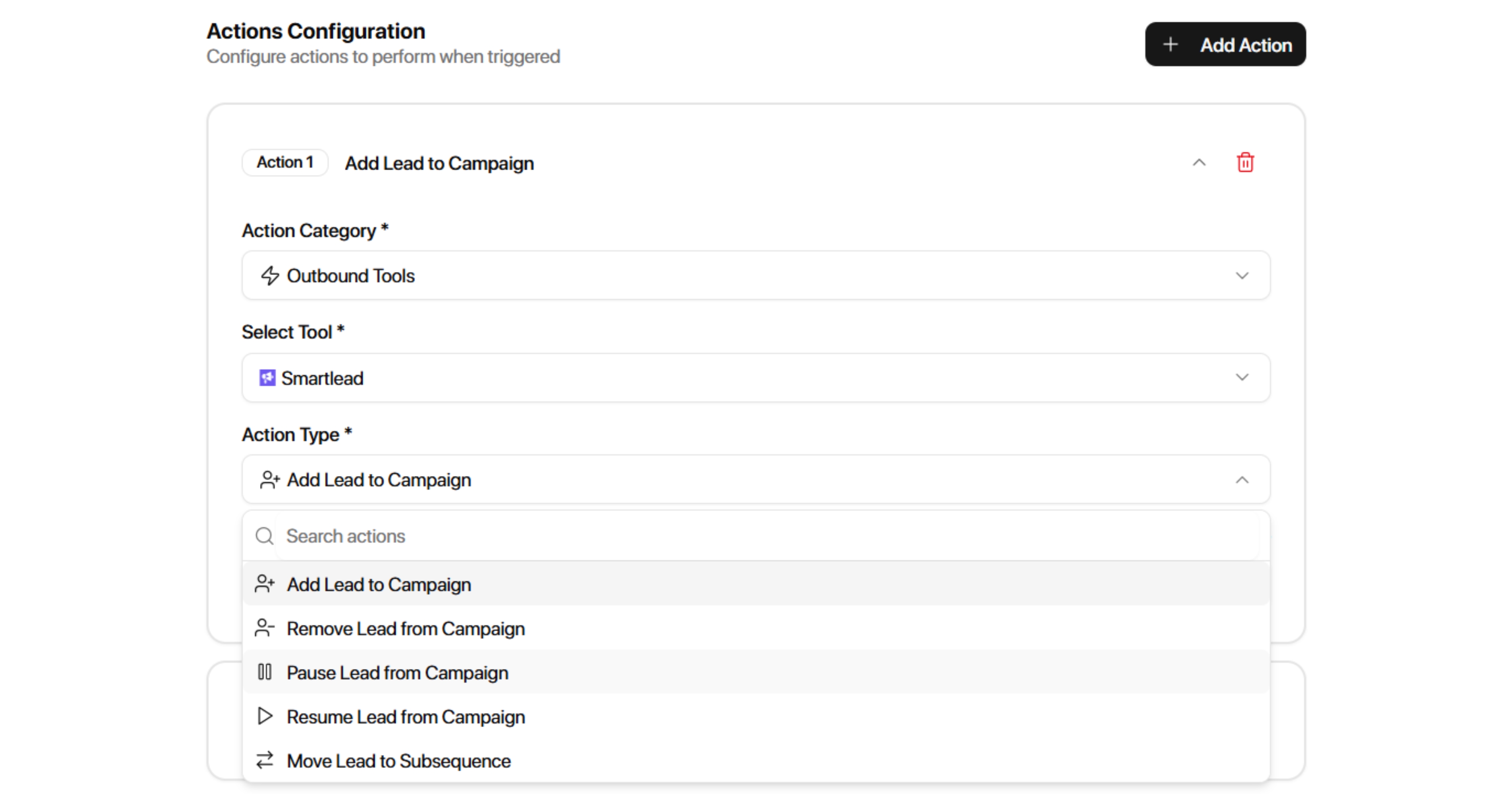
Smartlead actions allow workflows to automate lead management inside Smartlead campaigns.
Available Actions
Add Lead to Campaign
Configuration:
Smartlead Campaign
Remove Lead from Campaign
Configuration:
Smartlead Campaign
Unsubscribe Lead from Campaign
Configuration:
Smartlead Campaign
Pause Lead from Campaign
Configuration:
Smartlead Campaign
Resume Lead from Campaign
Configuration:
Smartlead Campaign
Move Lead to Subsequence
Configuration:
Smartlead Campaign
Smartlead Subsequence
Remove Lead from Subsequence
Configuration:
Smartlead Campaign
Smartlead Subsequence
EmailBison
EmailBison actions allow workflows to manage leads inside EmailBison campaigns.
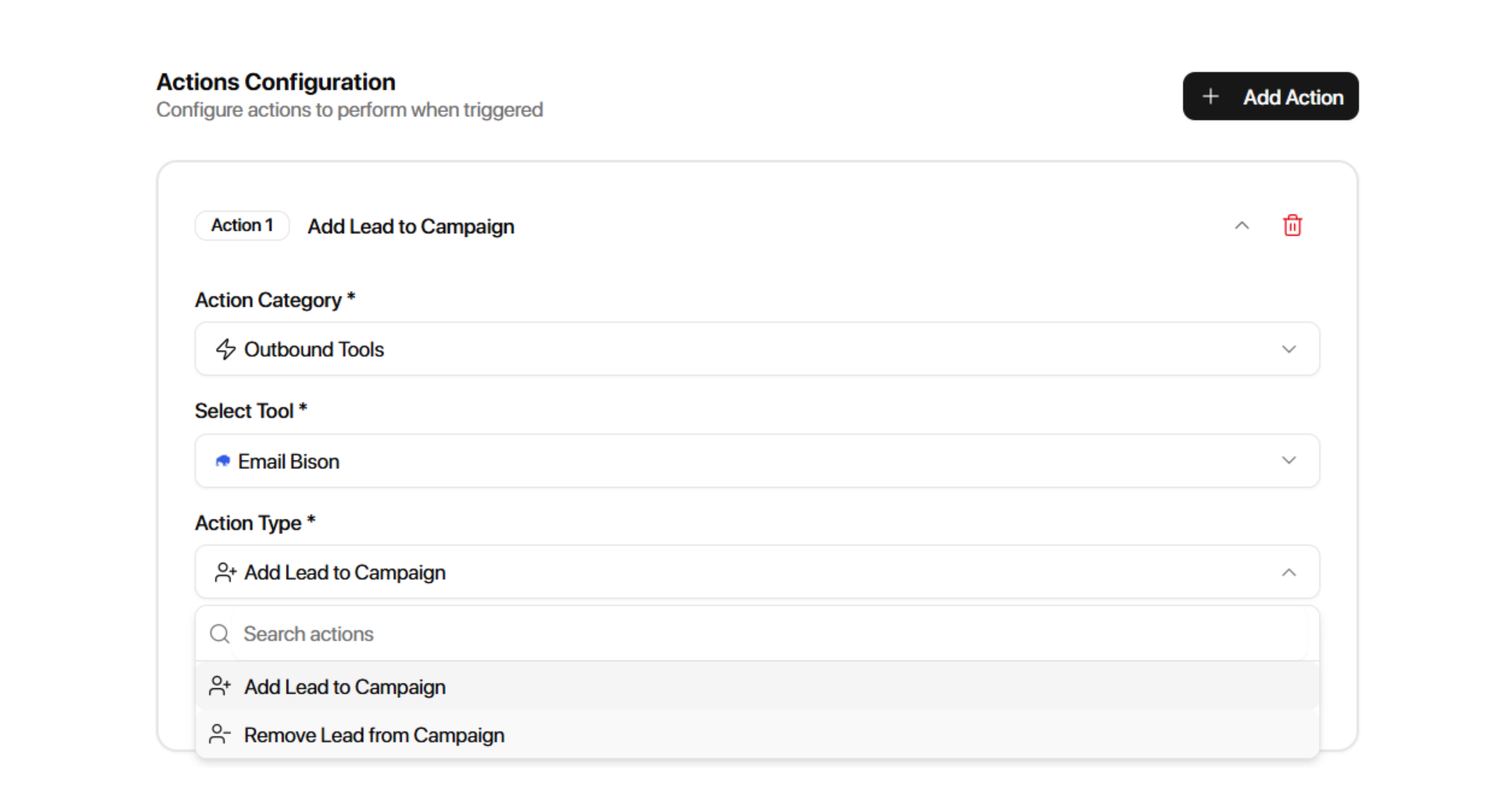
Available Actions
Add Lead to Campaign
Configuration:
EmailBison Campaign
Remove Lead from Campaign
Configuration:
EmailBison Campaign
Webhook
Webhook actions allow workflows to send data from Master Inbox to external systems.
Configuration:
Webhook URL
Enter the destination webhook URL.
Payload Fields
You can choose which fields to include in the webhook payload.
Available fields include:
Date
Workspace ID
Prospect ID
Workspace Name
Tags
Channel
Thread URL
Seen Status
First Name
Last Name
Email
To Name
To Address
From Name
From Address
Message Quantity
Conversation Stage
Subject
LinkedIn List Name
Channel ID
Deal Value
Job Title
Labels
Names
Custom Fields
Reply From Source
Company Name
Use webhooks when you want to send Master Inbox data to external systems, CRMs, internal tools, or automation platforms.
PlusVibe
PlusVibe actions allow workflows to automatically manage leads inside connected PlusVibe campaigns.
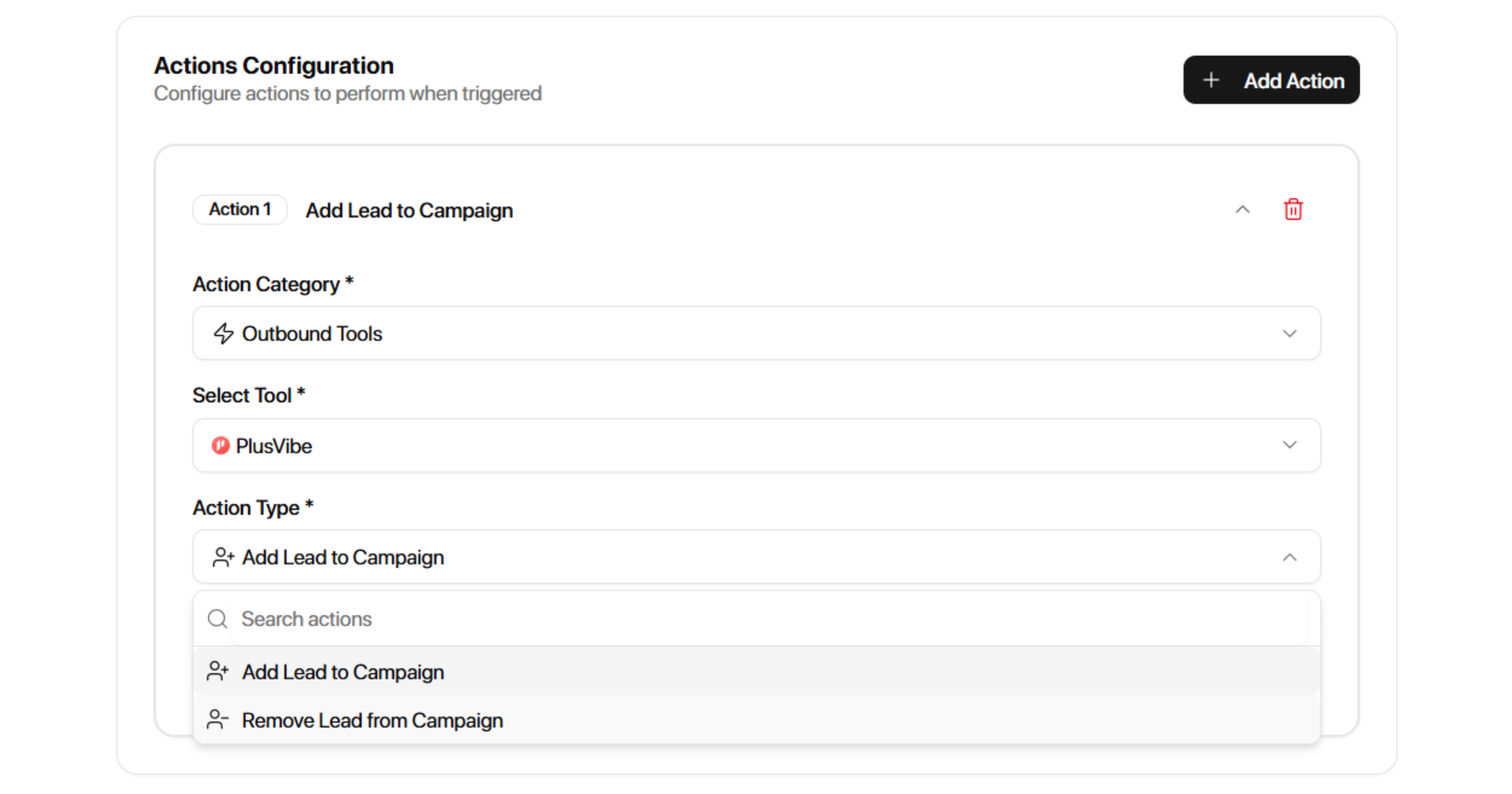
Available Actions
Add Lead to Campaign
Adds a lead to a selected PlusVibe campaign.
Configuration:
PlusVibe Campaign
Select the PlusVibe campaign where the lead should be added.
Common Use Cases
Add prospects to nurture campaigns
Automatically enroll leads after qualification
Route leads into outbound sequences
Remove Lead from Campaign
Removes a lead from a selected PlusVibe campaign.
Configuration:
PlusVibe Campaign
Select the PlusVibe campaign from which the lead should be removed.
Common Use Cases
Stop outreach after a reply
Stop outreach after a meeting is booked
Prevent duplicate messaging
Remove disqualified prospects from campaigns
PlusVibe Configuration
Before using PlusVibe workflow actions, ensure your PlusVibe account is connected through Integrations.
Once connected, available PlusVibe campaigns will appear in the campaign selector when configuring workflow actions.
Google Sheets
Google Sheets actions allow workflows to automatically add data into connected spreadsheets.
Available Actions
Add Row to Google Sheet
Adds a new row to a selected spreadsheet whenever the workflow runs.
Requirements
Before using this action:
Connect Google Sheets under Integrations
Configuration:
Spreadsheet
Select the spreadsheet where new rows should be added.
Common Use Cases
Lead tracking
Reporting
CRM exports
Meeting tracking
Qualification logs