
Outbound, inbound, LinkedIn and calls. One inbox.

Helping Sales Teams Never Miss a Reply

Turn more replies into meetings. Every reply from your sequencers, LinkedIn, website forms and ads lands in one inbox, routed to the right rep, who can reply, call or book in one place while your CRM updates itself.
Sequencers+5LinkedIn+6Forms and chatLead adsCalls and SMSCRM sync+4

Every reply from every tool, sorted into your lists and labeled by intent.

Illustration of the Master Inbox inbox: replies from every mailbox and LinkedIn account in one list, sorted into lists like Call/Reply, HOT and Meeting Booked, and labeled by intent Illustration of Master Inbox reporting: replies on time and missed against your SLA, time to lead and meetings booked, by rep Bookings: meetings booked this week, reply-to-meeting rate, speed to book, show rate, which campaigns produced the meetings and which rep or reply agent booked them
Customers

Ask the teams who stopped missing replies

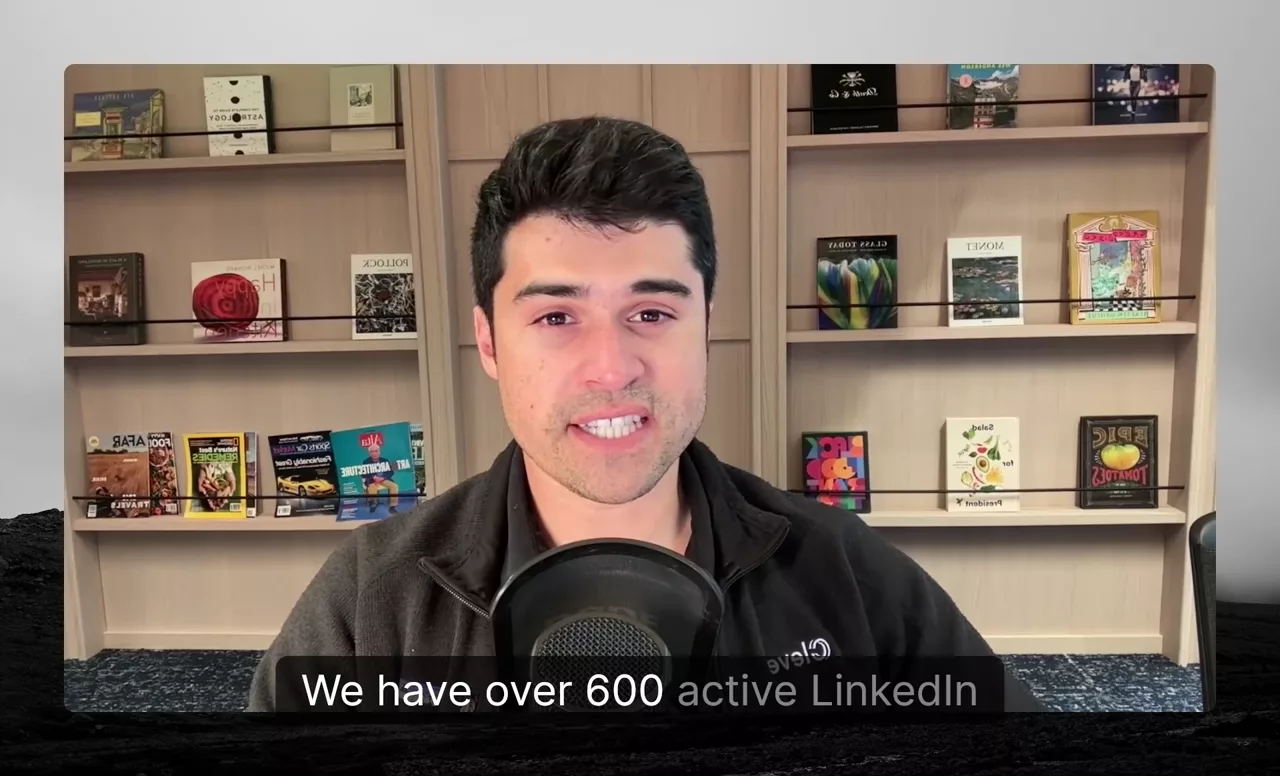
Founders and sales leaders on video: what broke before Master Inbox, and what their reps do differently now.

We had response handlers going into each individual inbox. All of that now pipes into Master Inbox.

5xworkload per handler
Halfthe response team
10,000+inboxes in one queue
Nick VerityCEO, Cleverly · Master Inbox partner
Global-eSales team

If you want results from reps you have to make it easier for them.

Jennifer AmoresRevenue Operations, Global-e

Growth Engine XPartner

The moment we put them on Master Inbox we got every reply.

Every reply caught
Eric NowoslawskiFounder, Growth Engine X
LeadbirdPartner

Once we embedded Master Inbox, clients stopped complaining, stopped churning.

#1 churn reason removed280+ clients
Nick AbrahamFounder, Leadbird

See all customer stories

Managing LinkedIn DMs and email inboxes is chaotic.
Replies get missed. Deals go cold.

Your team wastes hours jumping between accounts, chasing replies, and updating sheets. Master Inbox centralizes every campaign response so you stay organized, responsive, and in control.
Organize and manage

Stay in control, no matter how many inboxes you handle

Build a clear structure for your inboxes and workflows. From one workspace per team to labels, filters, and shared views, you’ll always know where everything belongs.

Scale effortlessly with unlimited mailboxes synced in real time.

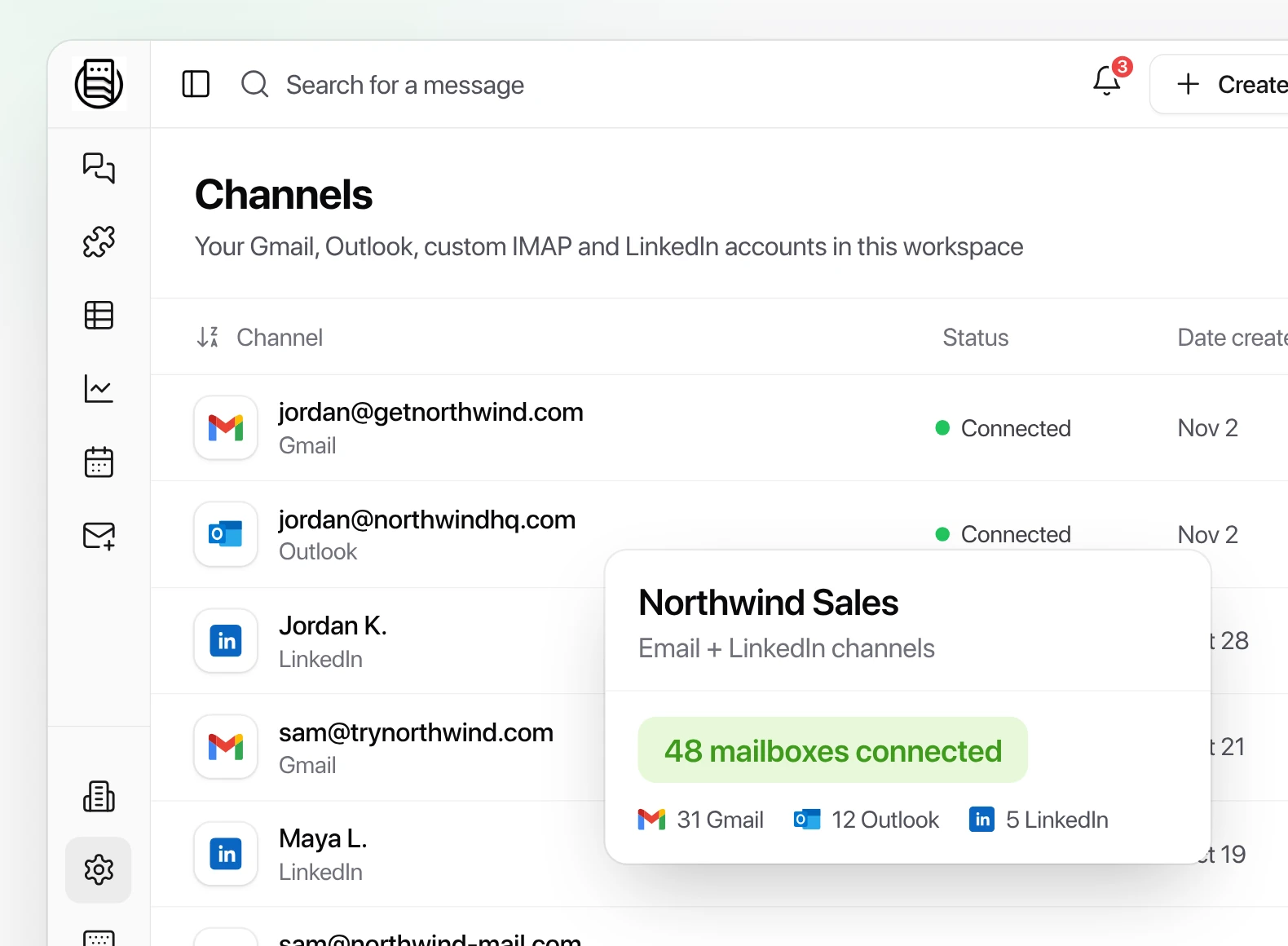
Manage 1k or 100k mailboxes across any sequencer. Use Smartlead, EmailBison, Instantly, HeyReach, Expandi or Aimfox: every reply lands in one Master Inbox.
Master Inbox Channels settings listing connected Gmail, Outlook and LinkedIn accounts, 48 mailboxes connected

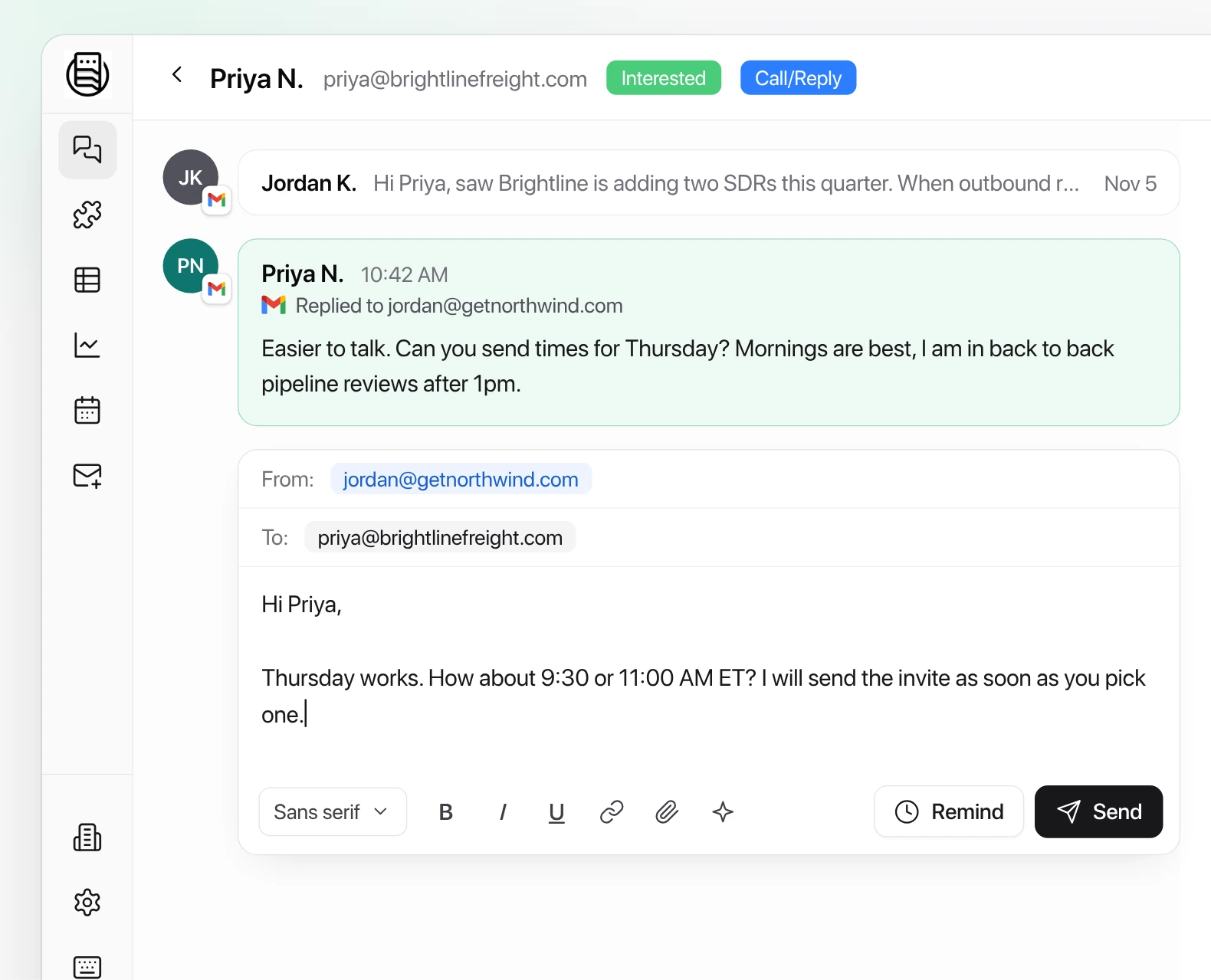
Every reply in one inbox, including forwards and CC replies.

A real-time view of every response, whichever platform or sender it came from.
A Master Inbox thread with the prospect reply and a composer sending the answer from the same mailbox the prospect wrote to

Views and filters

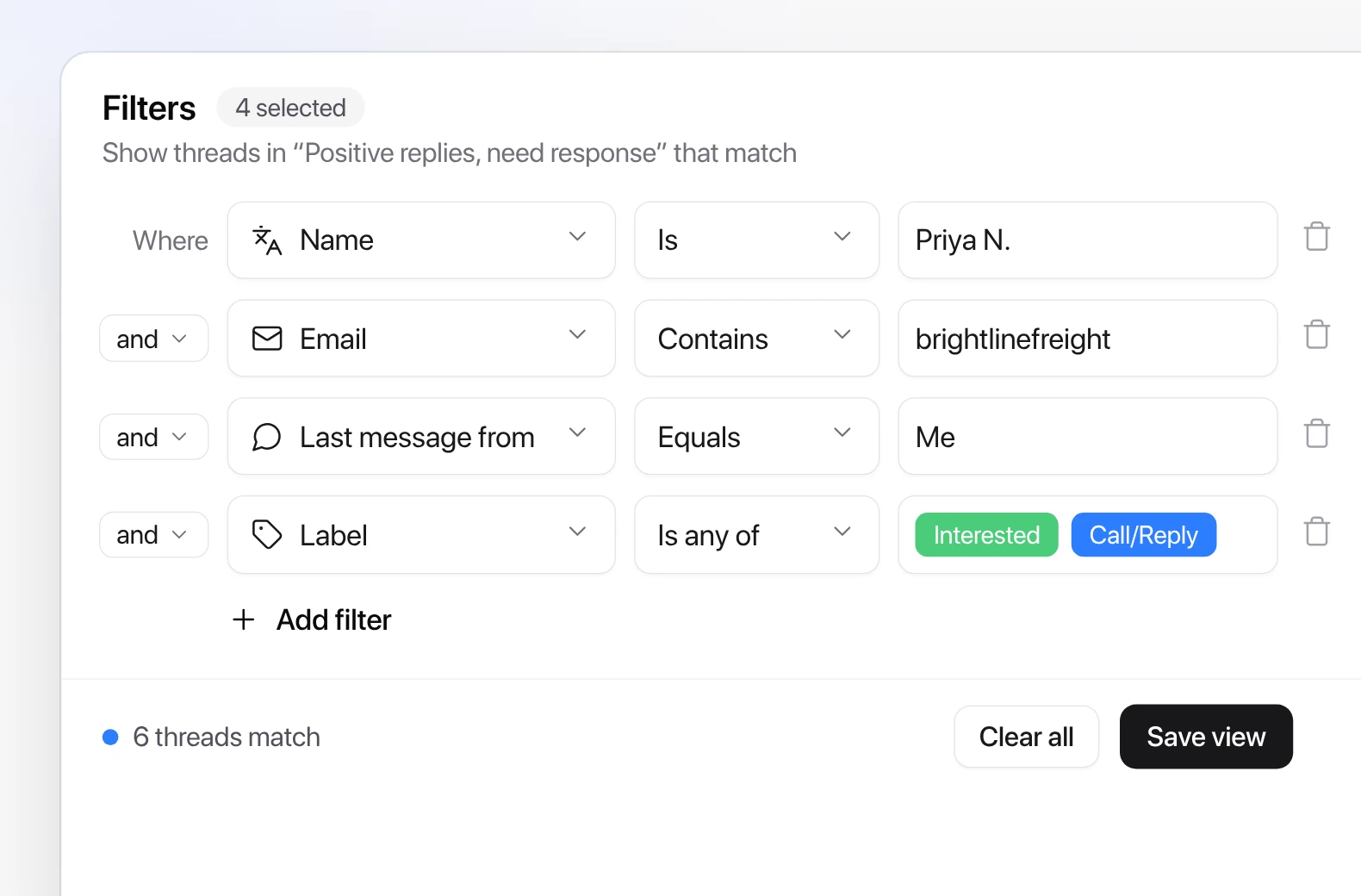
Build custom views and filters for every workflow, from follow-ups to reply handling. Warm-up and other unwanted emails are left out automatically.
View filter builder with rules for name, email, last message from and label is any of Interested or Call/Reply

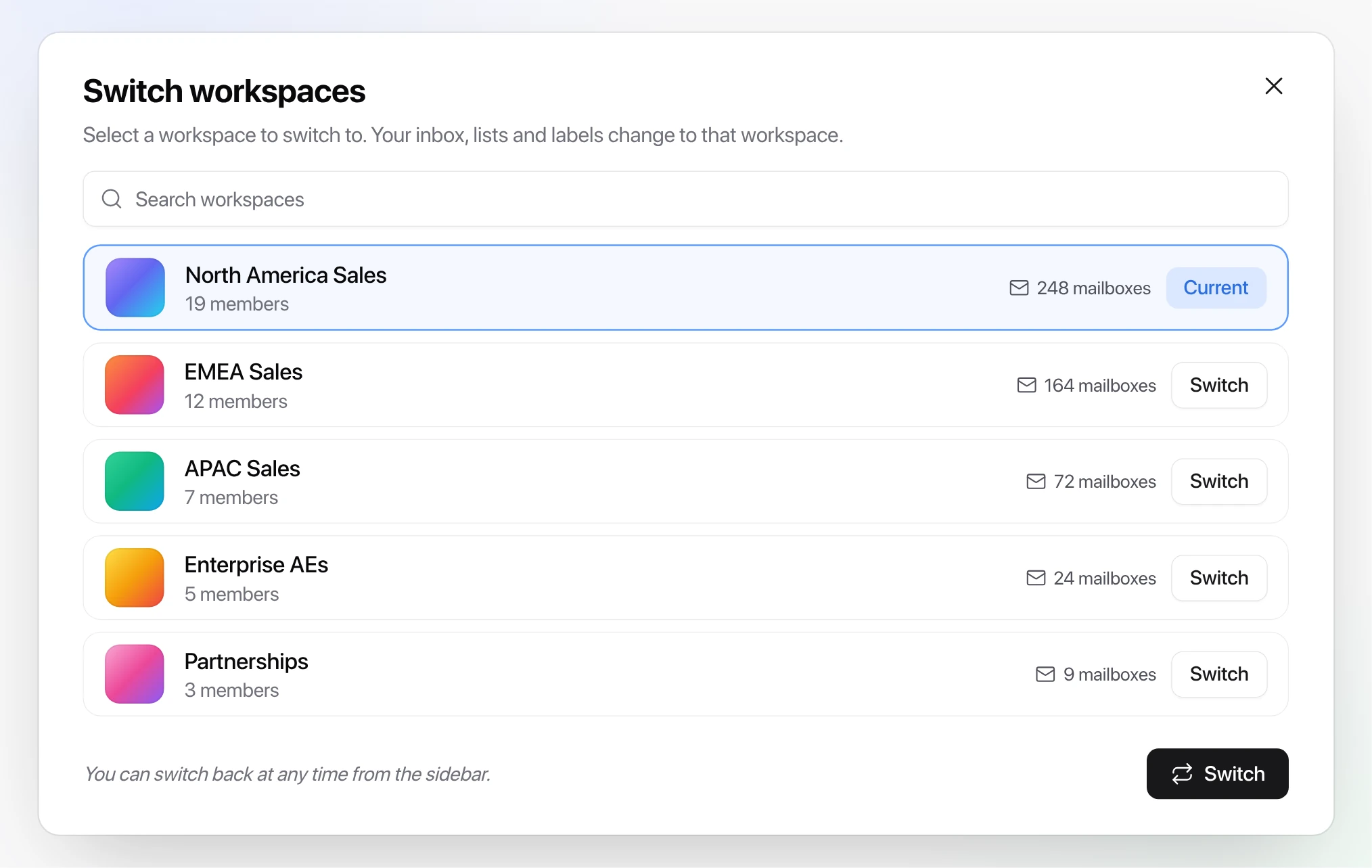
Workspaces

Give every team, region or brand its own workspace. Assign channels across email or LinkedIn and control exactly what each rep sees with member permissions.
Switch workspaces dialog listing five sales team workspaces with member and mailbox counts

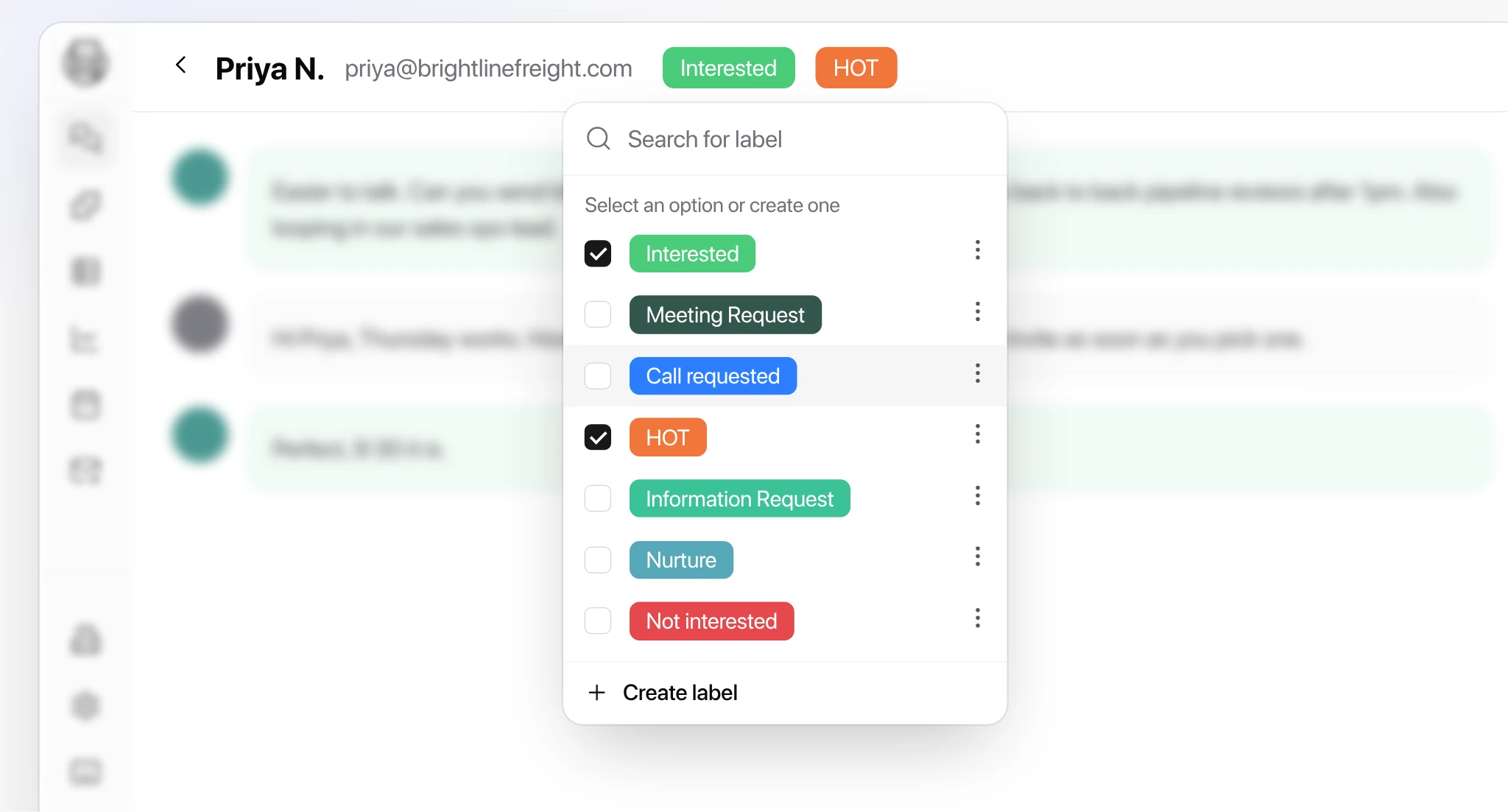
Labels and tracking

Track every reply, each rep’s response time and lead progress, and export the numbers for pipeline reviews.
Label picker on a thread with Interested and HOT checked among sales reply labels
Communicate and perform

Reply faster and book more meetings

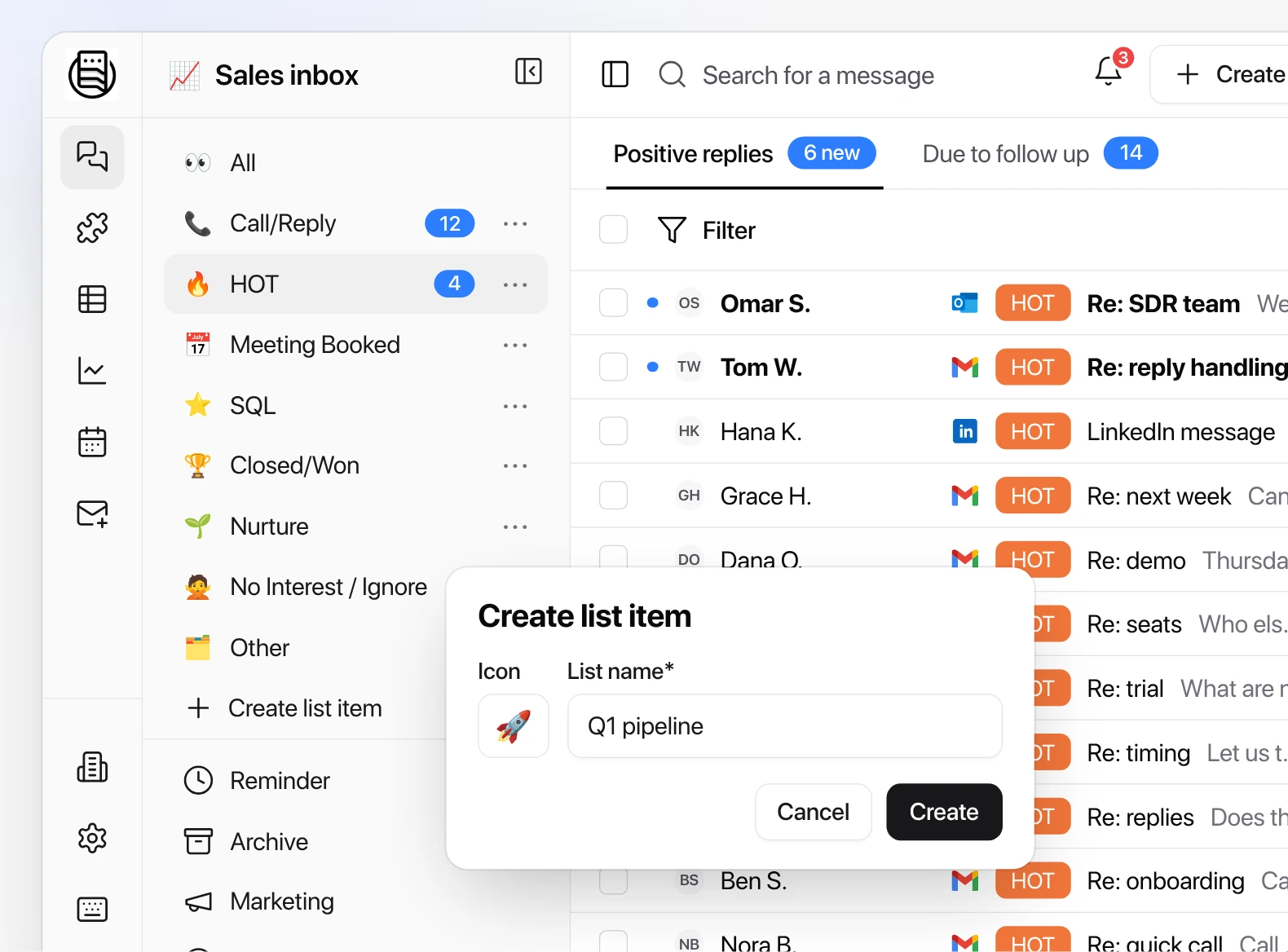
Keep conversations moving and reps on top of every lead, with lead assignment, quick replies, LinkedIn and email in one thread, reminders and reports for leadership.
Sales inbox sidebar with lists such as Call/Reply, HOT and Meeting Booked, and a Create list item popup

Deal stages, custom lists and pipeline views

Each team keeps its own lists and stages, so every deal in progress is easy to find and move forward.
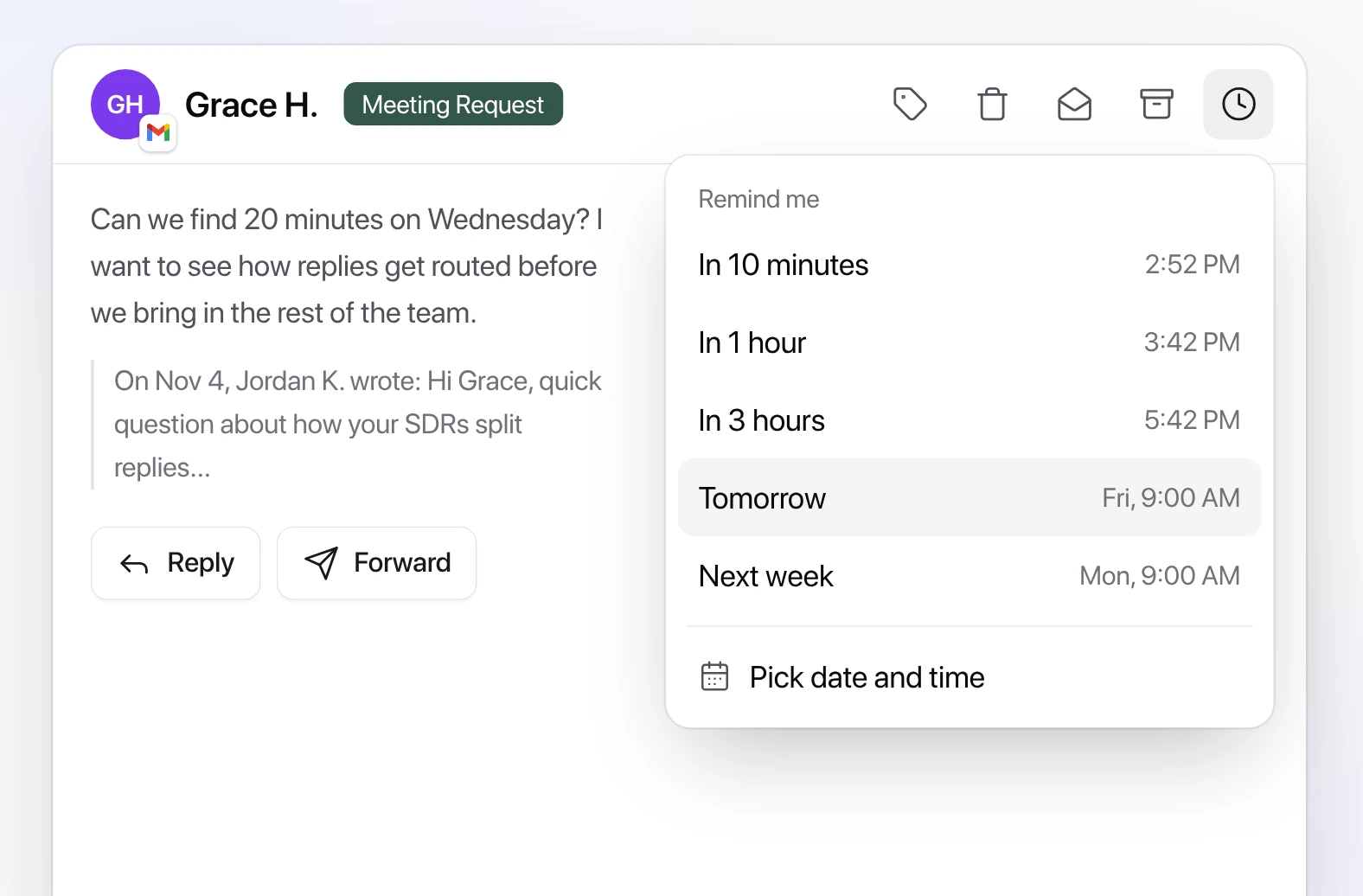
Reminder menu on a thread: in 10 minutes, 1 hour, 3 hours, tomorrow, next week or a custom time

Reminders and snooze

Set reminders, get a Slack notification when you need to act, and see the thread pop back into your inbox at the right time.
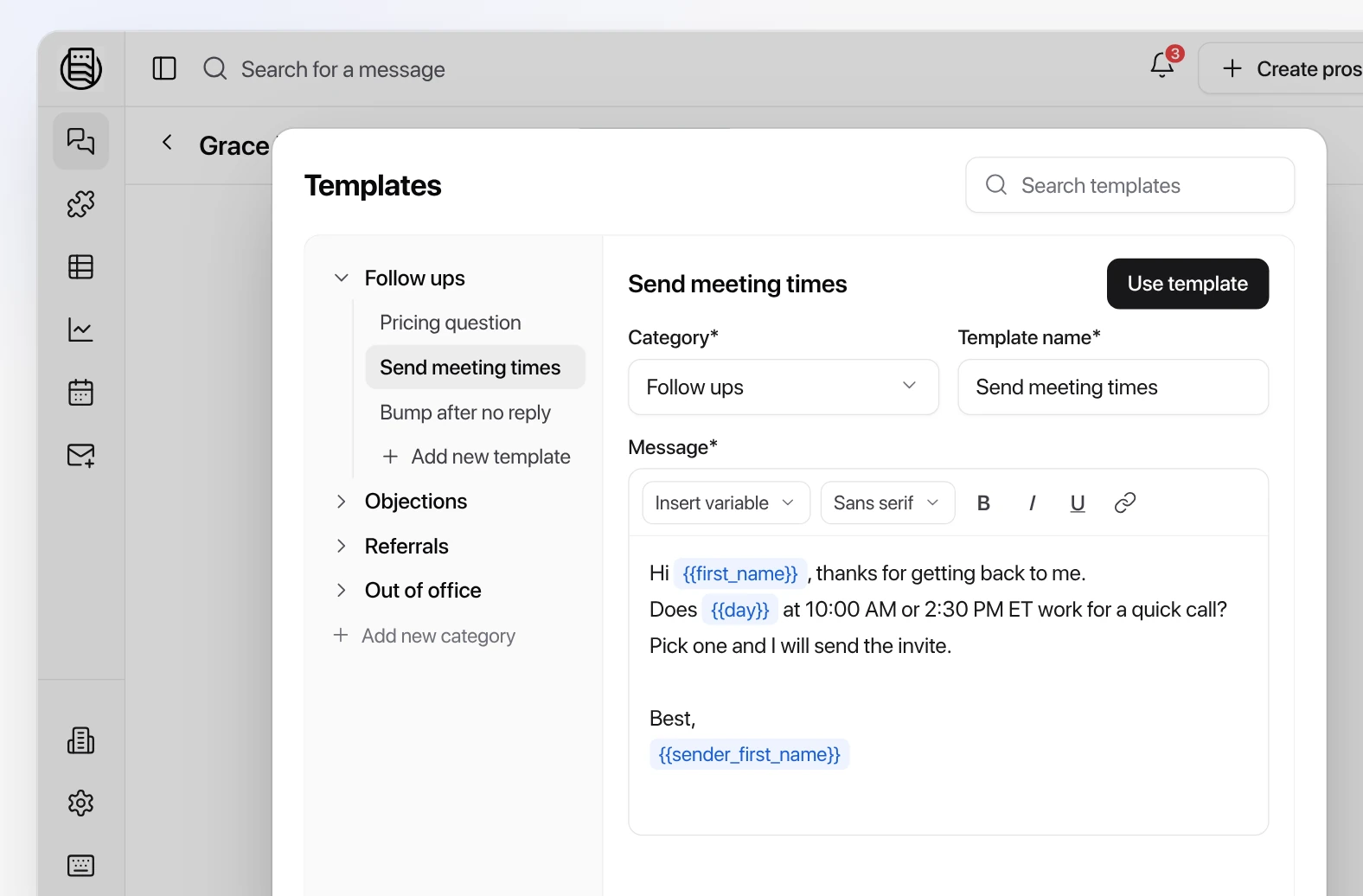
Reply templates editor with categories and a follow up template using first name and day variables

Quick replies

Reply templates and keyboard shortcuts help reps answer faster and stay on message.
More features

And much more

Merge threads
Archive replies
Universal message search
Inbound prospect routing
Send message API
Custom views
Custom inboxes
Notifications
Integrations
Unlimited channels
Follow-ups
Prospect notes
Saved attachments
AI labeling
AI reply agents
LinkedIn DMs
Multiple inboxes
Workspaces
Warm-up filtering
Custom webhooks
Slack notifications
Custom labels
Custom lists
Reminders for LinkedIn DMs
LinkedIn and email labels

Every lead source. One place to work it.

Replies from Instantly, Smartlead, EmailBison and every other sequencer, LinkedIn messages from HeyReach or your own accounts, website forms, Google and Meta lead ads, and inbound calls all land in one inbox, labeled by intent and routed to the right rep within seconds.
Replies from Instantly, Smartlead and HeyReach, a website form, a Meta lead ad and an inbound call landing in one Needs reply list, each labeled by AI and assigned to a rep within seconds

Reply, call or book from the same thread

The whole conversation across email, LinkedIn and SMS stays in one chain. Reps answer with an AI draft, call in one click with the built-in dialer, and offer times from their own calendar, while every outcome lands in the CRM by itself.
A lead conversation in Master Inbox with a live call, the call log on the thread and an SMS reply
Pricing

What is a missed reply worth?

Two plans for sales teams. Unlimited mailboxes and users on both, never priced per seat.

Pricing is based on an annual plan, billed monthly, and is shared on a short call.

SALES
$799/mo
One place for your reps to reply
For teams tired of juggling tools to answer a lead
Unlimited mailboxes, fair use. Unlimited users.
  • Every reply in one inbox, from every sequencer and LinkedIn tool, plus the forwards and CC replies they missSmartleadInstantlyEmailBisonLemlistHeyReachExpandiAimfox+10
  • AI labels on every reply and reply agents that draft, follow up and book
  • Times suggested from each rep's own calendar, booked without the back and forthGoogle CalendarCal.comCalendlyChili Piper
  • Lead assignment: round robin, groups by rule, or first come, first served, where the first rep to reply owns the lead
  • Sales Intelligence: phone numbers and socials pulled straight from email signatures, so you pay for less enrichment and get the number the prospect actually uses
  • Meetings booked, in total and by rep
  • Time to lead for every rep: who answers fast, who is slow, against your SLA
  • Reply from Slack or Teams with the draft attachedSlackMicrosoft Teams
  • Workflows, webhooks and API
Built for revenue teams
REVENUE
Pricing on a call
Every chain kept and tracked in your CRM
For teams whose pipeline lives in the CRM and the dialer
Unlimited mailboxes, fair use. Unlimited users.
Everything in Sales, plus:
  • Two-way CRM sync, and reply from the CRM recordHubSpotSalesforcebetaPipedriveAttioCloseGoHighLevel+2
  • Hot replies straight to the dialer as call tasks, in the built-in MI Inbox Dialer or the dialer you already useMI Inbox DialerNooksAircall
  • Enrichment when the signature has none: direct dials and work emails from the provider you already useFindymailProspeoLeadMagicBetterContactIcypeas+1
  • Company data on every reply: revenue, headcount and signals from AI Ark, with 1,000 enrichments includedAI Ark
  • Inbound leads answered 24/7 on your website and in your DMs, booked onto the right rep's calendarYour websiteFacebook MessengerInstagramWhatsApp
  • Conversions synced back to your ads, so Google and Meta optimize for booked meetingsGoogle AdsMeta Ads
  • Pipeline analytics: replies to meetings to pipeline, by campaign and rep

FAQs

Have a question? We’re here to help.

Master Inbox is one place your reps reply from: every email and LinkedIn reply, from every sequencer and mailbox, labeled by intent and owned by a rep. Your sequencer keeps sending, and managers see who answered and how fast.

Keep Instantly for sending. Master Inbox reads the mailboxes themselves, so forwards, CC replies and answers from a new address land in the same chain, next to LinkedIn and every other tool you send with. Across connected mailboxes, that is roughly 12% more replies than the sequencer reports (Master Inbox internal data).

No. Keep your sequencer, mailboxes and domains as they are. Master Inbox connects alongside Smartlead, Instantly, EmailBison, Reply.io, Lemlist, HeyReach and more, and only handles what happens after a prospect replies.

No. Sales and Revenue both include unlimited users and unlimited mailboxes on fair use. Add every rep, manager and RevOps lead without changing the bill. Pricing is shared on a short call. See the plans.

Sequencers connect in minutes and we do the setup with you on the onboarding call, on your own inboxes, so you judge Master Inbox on real replies.

Every reply agent starts human-in-the-loop: it drafts, a rep approves. You grant autonomy one label at a time, every AI label can be corrected in one click, and agents stop the moment a meeting books.

Yes. On the Revenue plan, replies, labels and the full chain sync two ways with HubSpot, Salesforce (in beta), Pipedrive, Attio, Close and GoHighLevel, and reps can reply from the HubSpot record without breaking the chain.

Yes, and from Microsoft Teams. A positive reply arrives as a card with the drafted answer and an Accept button, and the answer goes out from the mailbox the prospect wrote to. See the workflow library.

Data is hosted in the EU, in Finland and Germany, and encrypted in transit and at rest. Master Inbox is GDPR compliant, every customer gets a DPA, and SOC 2 is in progress. See security.

Yes. Master Inbox partners set up and run it for sales teams. You pay Master Inbox directly on the normal plans and own your workspace, and the partner handles the day-to-day. Find a partner.

Still have questions?

Can’t find the answer you’re looking for? Ask us on a short call.