
 Sends
 Routes the reply
 Closes
Connect HeyReach with Salesforce
HeyReach sends. Salesforce closes. The replies in between get lost.
Master Inbox is the router in the middle
HeyReach runs LinkedIn outreach across many accounts, built for agencies at scale. Salesforce is where enterprise revenue teams report and forecast. The gap is the replies: they scatter across LinkedIn accounts, and getting them into Salesforce means a rep copying threads by hand, if they remember at all. Master Inbox is the router in the middle. It catches every HeyReach conversation, threads it with the prospect's email replies, tags it by intent, and syncs the contact, conversation, and stage straight into Salesforce. Reps work one inbox; Salesforce fills itself with warm leads. On the Revenue plan that Salesforce sync is native and two-way, now in beta, and the OutboundSync integration adds full campaign attribution to the right record.
What you can do
- Every HeyReach reply becomes a Salesforce contact with the full thread attached
- Interested replies mapped to the right Salesforce stage automatically
- Reply from Master Inbox, logged to Salesforce, with zero double entry
- LinkedIn and email from the same prospect kept in one thread before it reaches Salesforce
Automations to run on HeyReach + Salesforce
The workflows a GTM engineer would set up first. Each one is a real Master Inbox trigger and real actions, built in the app in a few clicks or with one API request.
Positive HeyReach replies create Salesforce records
Revenue planInterest shows up in Salesforce without reps copying anything, and only for prospects who replied.
Meeting booked stops HeyReach
Sales planThe label change flows to Salesforce through the sync, and the sequence stops.
Send anything else to Salesforce by webhook
Sales planCustom objects and fields stay in your control, with every reply field in the payload.
Not interested opts the lead out of HeyReach
Sales planOne label stops every future touch, so nobody gets a follow-up after saying no.
"Not now" goes into a HeyReach nurture
Sales planTiming objections become next quarter's pipeline instead of a dead thread.
From the workflow library
- Reply to cold email leads from the HubSpot contact record
- Push interested replies to Salesforce automatically
- Log the cold email thread to Salesforce when a meeting is booked
- Mark a Salesforce account as do not contact when a prospect opts out
- Sync opt-outs to Instantly, Smartlead, EmailBison, PlusVibe and HeyReach
- Find the email address for LinkedIn replies before handing them to sales
How the HeyReach to Salesforce flow gets set up
- 1Connect the LinkedIn accounts HeyReach runs onAdd the LinkedIn accounts behind your HeyReach outreach. Every conversation threads into the same inbox as your email replies, per prospect.
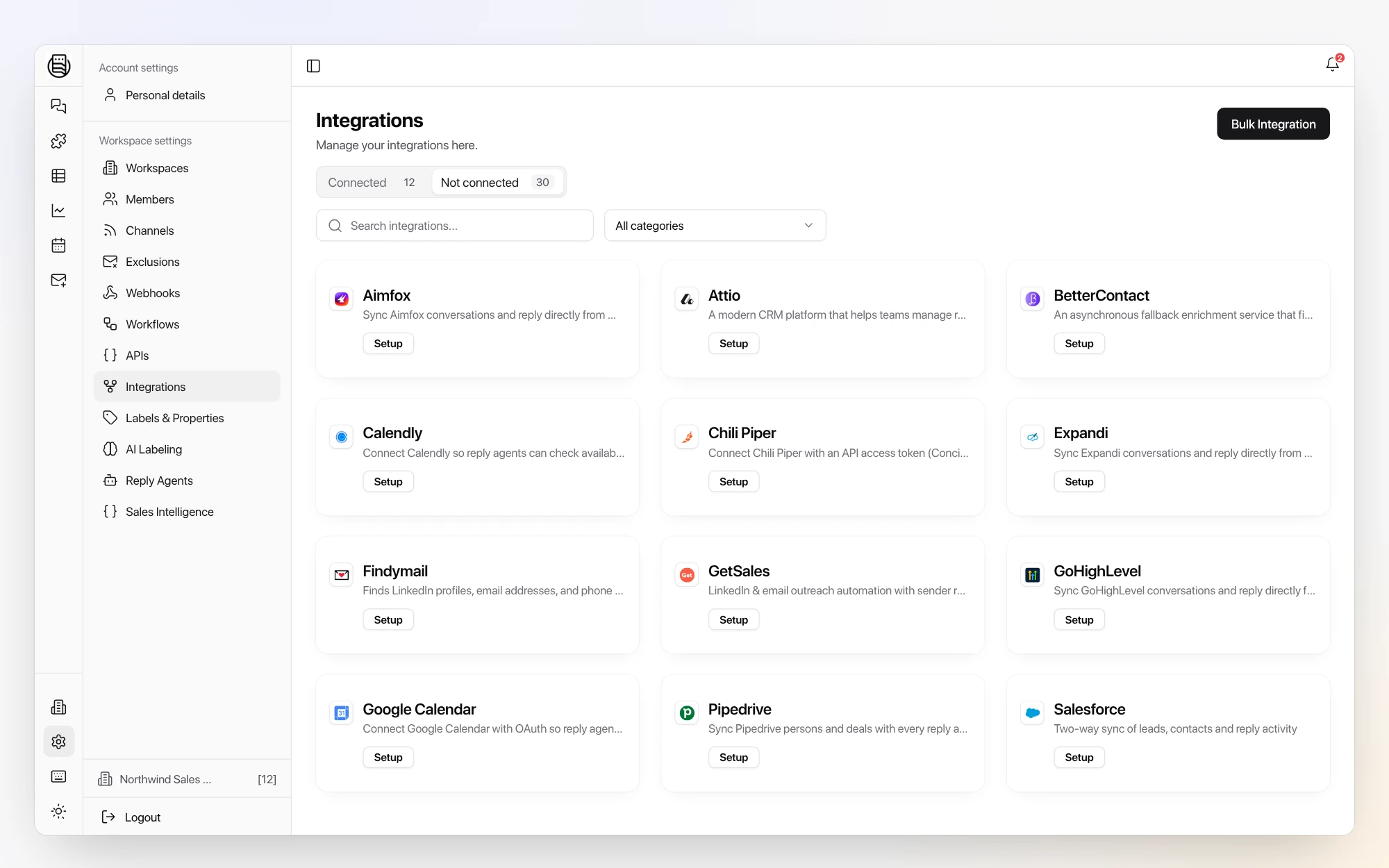
- 2Connect SalesforceIn Settings, open Integrations and connect Salesforce. Contacts, conversations, and reply tags sync automatically from then on.
- 3Map labels to Salesforce stagesChoose which reply labels (interested, pricing, referral) create or update Salesforce records and which pipeline stage each one lands in.
- 4Go live with white-glove onboardingOnboarding is done with you, not handed off to docs: we wire the HeyReach to Salesforce flow on your real inboxes.
Why it matters for outbound revenue teams
The HeyReach-to-Salesforce handoff is where outbound revenue leaks: a hot reply that never makes Salesforce is a deal you already paid for and lost. With Master Inbox in the middle, every HeyReach reply lands in Salesforce in seconds, with context.
“Cold email and CRM, it never fully works together.”
HeyReach + Salesforce FAQs
How does Master Inbox connect HeyReach and Salesforce?
It reads every conversation on the LinkedIn accounts behind HeyReach, tags them, and syncs the contact, conversation, and stage into Salesforce, automatically. It's the reply router between the two.
Do reps reply from HeyReach or Salesforce?
Either. Reps reply from Master Inbox, or from the Salesforce record on the Revenue plan (in beta), and the activity is logged to Salesforce.
Does every HeyReach conversation reach Salesforce?
Yes. Each HeyReach conversation is threaded with the prospect's email replies, labeled by intent and pushed into Salesforce with context, so nothing depends on a rep copying it over.
How does the Salesforce sync work?
On the Revenue plan, replies, tags and stages sync natively and two ways with Salesforce, now in beta, and reps can reply from the record. OutboundSync adds full campaign attribution to the same record.
Can one SDR see email and HeyReach replies for many teams or brands in one queue?
Yes. Reps get one master view across every workspace they cover, while each workspace stays isolated for its own scoped logins.
Can positive replies auto-forward to the right sales rep?
Yes. Per-workspace workflows route interested replies to the right person automatically, by forward, Slack, or webhook, instead of someone wiring it by hand per team.
How many HeyReach seats can you connect?
Hundreds. Large LinkedIn operations run well past 400 connected senders with AI labeling on every conversation.
What does OutboundSync add for Salesforce?
OutboundSync carries every outbound conversation into the right Salesforce record with full campaign attribution. Master Inbox is a direct integration in it, one way into the CRM, so forwards, CC replies and new-address replies reach the same record.
Is native Salesforce sync available?
Yes. Native two-way Salesforce sync is live in beta on the Revenue plan, and reps can reply from the Salesforce record. If you already run OutboundSync, keep it: it adds campaign attribution on top.
Go deeper
Keep reading
Similar pairings
See HeyReach, Master Inbox, and Salesforce working together on your real inboxes.
Book a call and we wire up the whole HeyReach to Salesforce flow with you and onboard your team, so you judge the handoff on real replies.
Book a call