
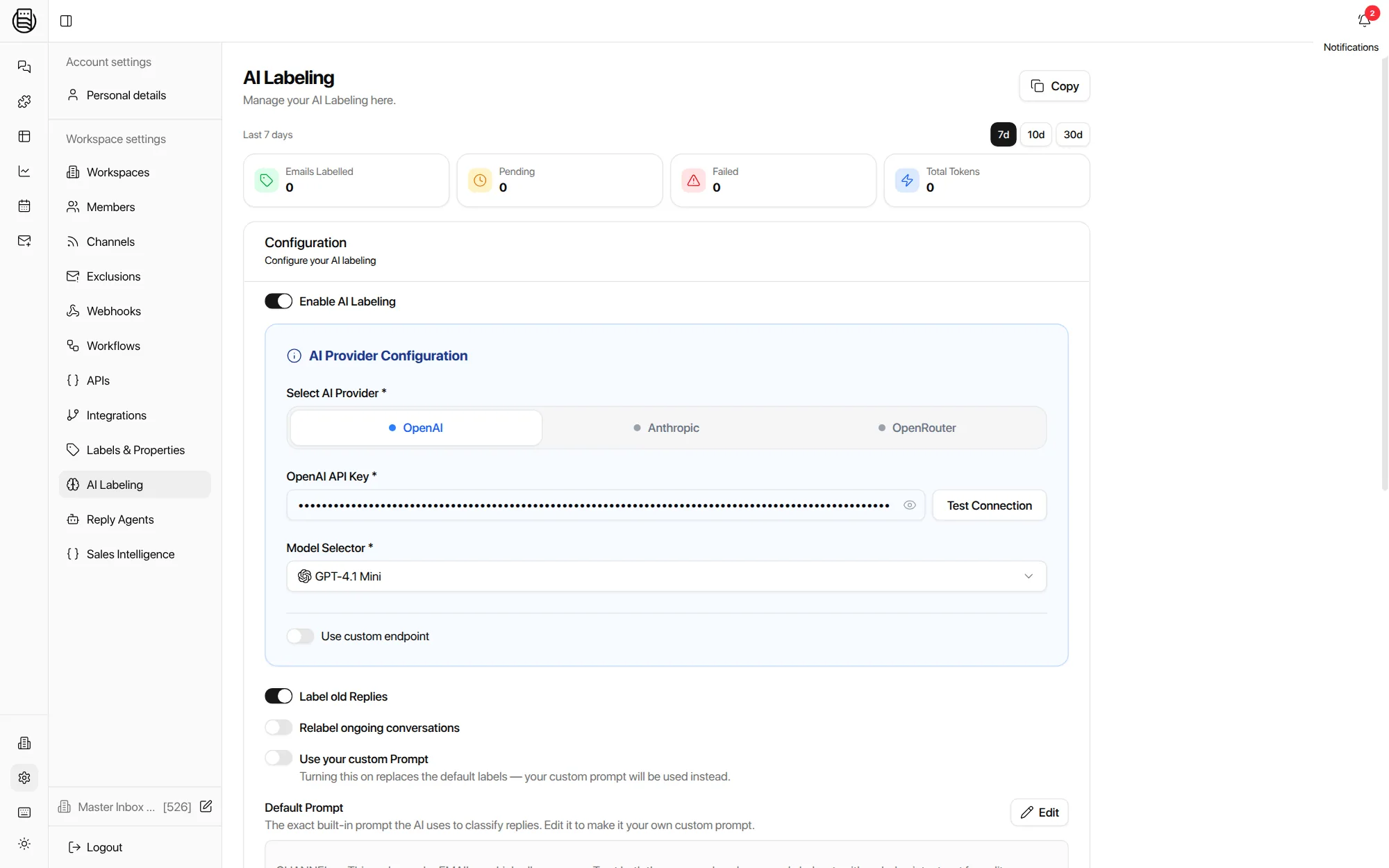
Every reply labeled the moment it lands. Your labels, your key.
Thirteen labels out of the box, or replace them with your own prompt and taxonomy. Runs on your OpenAI, Anthropic or OpenRouter key, so you pay your provider's rate and nothing is marked up.
Free 7-day POC. Unlimited users on every plan. Labels apply to email and LinkedIn alike.
What labels does AI labeling put on a reply?
Thirteen by default, from Interested and Meeting request to Out of office and Not now, applied on your own key the moment a reply lands. Enough to run a reply desk on day one; every one can be renamed, recolored, or replaced by your own set.
Out-of-office replies get their own label on purpose: they are not a no, and the return date inside them is a follow-up waiting to be scheduled.
Your provider, your key
Bring your own model
Pick OpenAI, Anthropic or OpenRouter, paste the key, choose the model. Tokens are billed by your provider at your rate. The settings page shows exactly how many replies were labeled, how many are pending, and what it cost in tokens.
A custom endpoint option covers teams routing through their own gateway.
On per workspace, so a client can run its own key and its own taxonomy.
Backfills the history you import, so views and reports are right from day one.
An Interested thread that turns into Not Right Now gets relabeled when the next reply lands.
Replaces the default labels with your own taxonomy. The built-in prompt is shown in full, so you edit it rather than guess at it.
What a label carries
A label is not just a color. Three properties decide how the rest of the inbox treats the reply.
Positive, neutral or negative. Feeds the positive rate in reporting and the client-facing views that show only the good news.
Whether your team now owes a reply. Obligations are what the SLA clock, reply coverage and the Needs Reply view are built on.
Whether the label was applied here or synced from the sequencer. Label sync runs both ways, so Smartlead or Instantly see the same outcome.
Single label per prospect is a switch: on, and a prospect holds one current status; off, and a thread can carry several labels at once.
What the label sets in motion
Labeling is the first step, not the feature. Everything downstream keys off it.
- Views. Needs Reply, Waiting on me, interested this week: saved views are label queries, so the person covering ten clients sees only their slice.
- Workflows. Add Label is the most used trigger. Interested lands in Slack, moves to a list and updates the CRM without anyone opening the thread. See workflows.
- Reply agents. Autonomy is granted per label. Interested can run itself while Angry Response is always held for a human. See reply agents.
- Reporting. Positive rate, coverage and missed replies are all computed from labels and obligations. See reporting.
Noise stays out before it is labeled
Warm-up mail and forwarded duplicates never reach the queue, so the labeler only sees real replies.
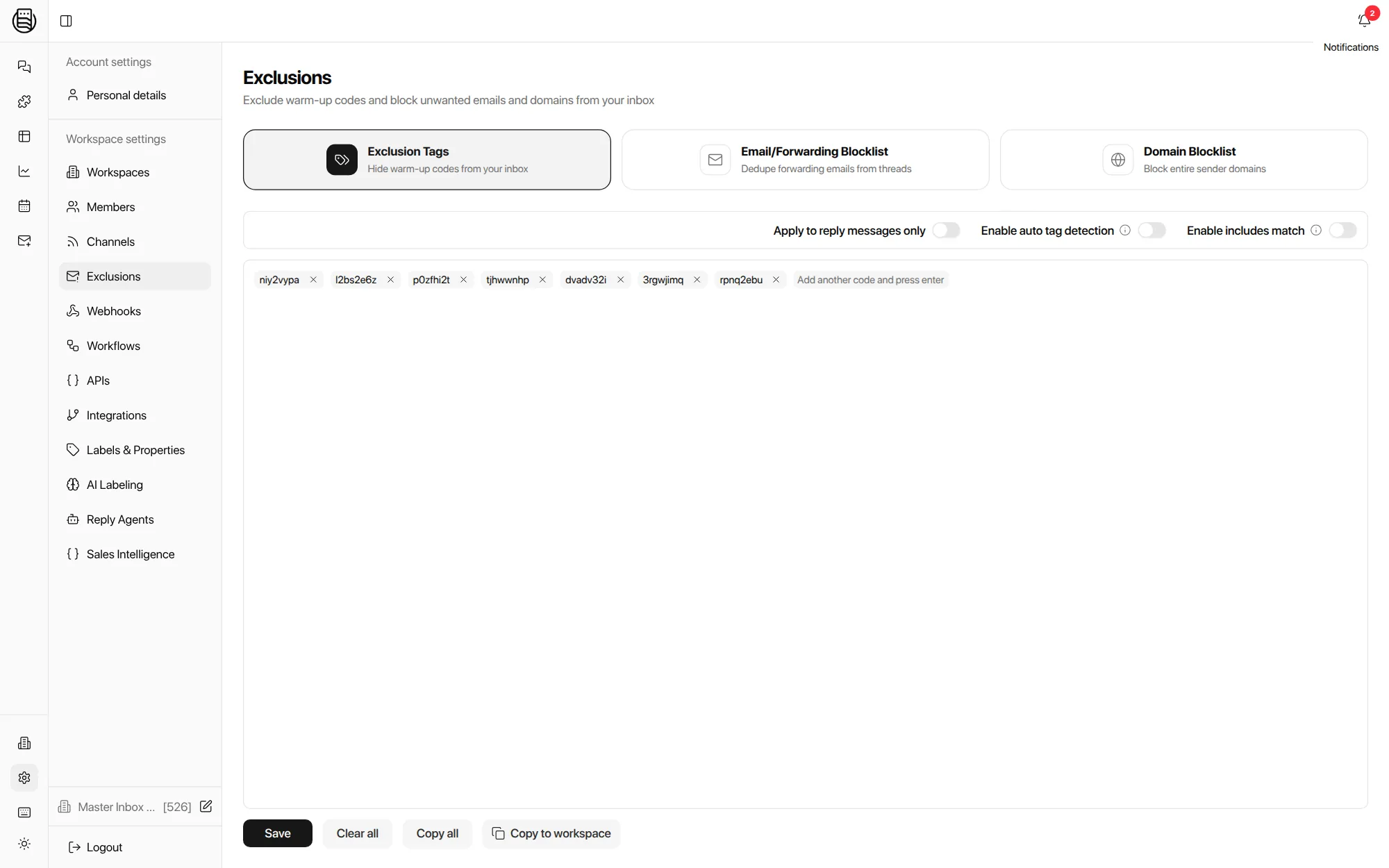
- Warm-up codes. The tags your warm-up tool stamps on messages are listed once and hidden everywhere, with auto detection for new ones.
- Forwarding blocklist. When a client forwards a thread back in, the duplicate is folded into the original instead of becoming a second conversation.
- Domain blocklist. Whole sender domains kept out, applied to replies only if you prefer.
Beyond the label: Sales Intelligence
The same key can pull structured facts out of every inbound reply and store them on the prospect.
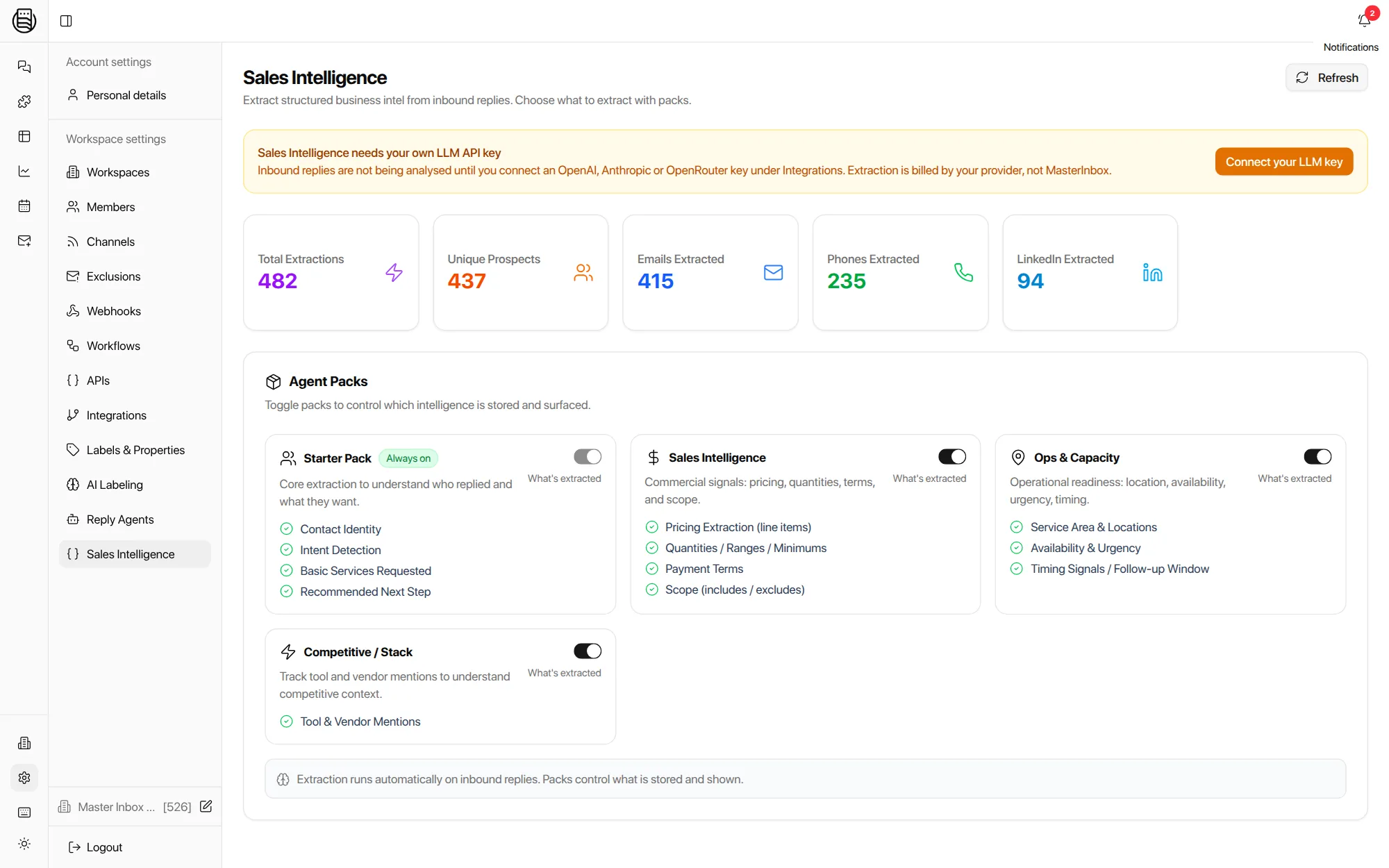
Packs decide what is extracted: contact identity and intent always, then pricing and terms, service area and timing, and the tools and vendors a prospect mentions. Phones and LinkedIn URLs found in signatures land on the record, and the Found Phone Number trigger can hand them to a workflow.
Explore more: Workflows, Unibox, Reply Agents, pricing
Questions we get
Which models can I use?
What does labeling cost?
Can I use my own labels instead of the defaults?
Does it label LinkedIn replies?
What happens when a conversation changes direction?
Do labels sync back to Smartlead or Instantly?
What about warm-up emails?
See it on your own inboxes
Book a demo and watch a week of your own replies get labeled while we talk.
Start your free 7-day POC