
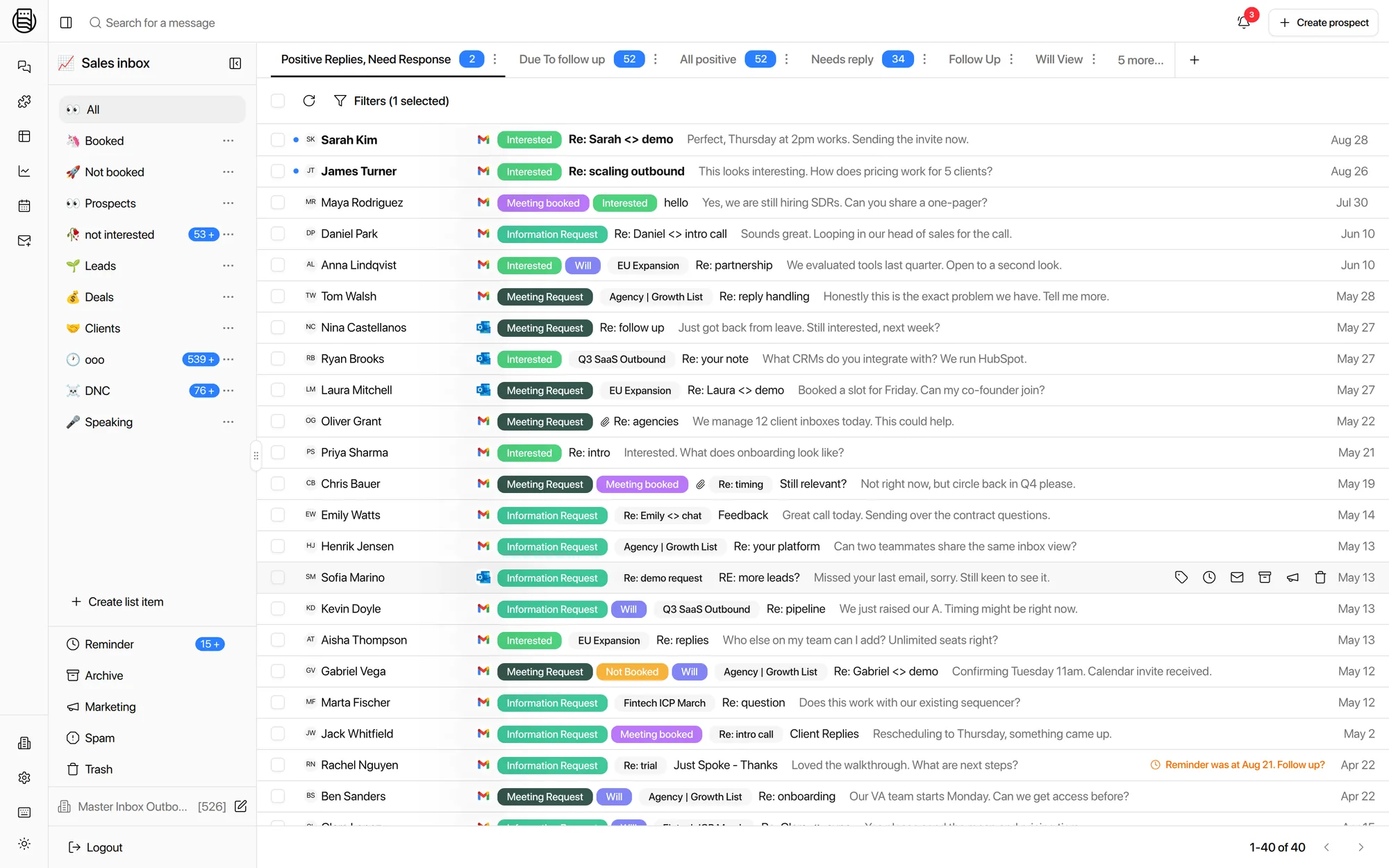
Every LinkedIn conversation. One inbox. Next to the email.
SDRs run three accounts each, automation tools run more, and meeting requests hide in second replies nobody checks. Master Inbox pulls every LinkedIn conversation into one place, threaded with email per prospect.
Free 7-day POC. Unlimited users on every plan. Works with your LinkedIn tools or a native seat.
Whatever you send with, this is where the replies land
Master Inbox adds no automation to your accounts. It reads and sends through the tools you already run, using their own APIs.
Every conversation from every sender in a campaign, with the campaign and the sending account attached to each thread.
Connection requests, accepts and message replies, threaded onto the prospect instead of sitting per campaign.
Replies across every managed profile, pulled into one queue your inbox managers can actually work.
Inbox messages and follow-up responses, labeled by intent the moment they arrive.
For profiles that run no automation at all: connect the seat directly at $15 per account and its messages sync the same way. SalesRobot, LeadBird, Lemlist and GetSales connect too.
One prospect, both channels, one thread
The email reply and the LinkedIn reply from the same person stop being two conversations to reconcile.
The meeting ask arrived on the channel nobody was watching, two days after the email. In one thread it is impossible to miss.
Short messages, real intent
LinkedIn replies are four words long. The label has to come from the thread above them, not the word count.
Acknowledged, nothing asked for. It drops out of the queue your reps work first, and back in when a follow-up lands.
Straight to the top of the queue, or to an agent that answers with the one-pager and offers two real times.
Not a rejection, a request for context. It gets your intro, not a pitch, and stays on the same thread.
Custom labels
Teach the labels how LinkedIn actually talks
Labels are prompts you write, not a fixed list. Most teams keep one set for email and a looser one for LinkedIn, where a reply is rarely a full sentence.
- Your labels, your wordingCreate any label and describe in plain language what belongs in it. Interested, referral, wrong person, competitor, whatever your team argues about.
- Tuned per channelA LinkedIn "sure" and an email "sure, send it over" can score differently, because you wrote the rule for each.
- Applied the second it landsLabels drive views, routing, agent autonomy, SLA reporting and CRM lead status. All of it runs off the label.
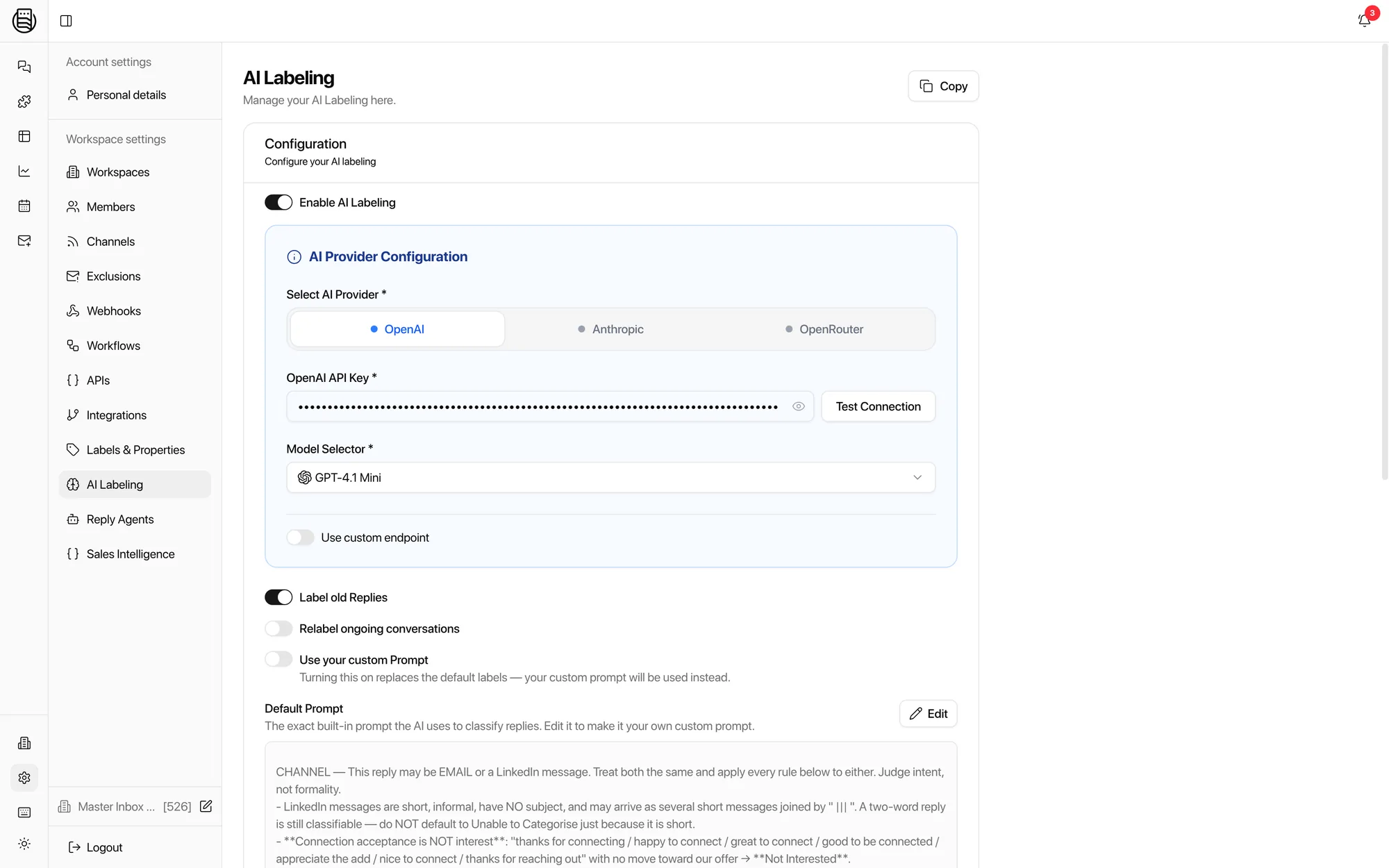
Real product: the label prompts, on live settings.
Explore more: Unibox, Reply Agents, integrations, pricing
Questions we get
What is a LinkedIn unibox?
What is the best LinkedIn inbox management tool?
Which services handle LinkedIn inbox and reply management professionally?
Is there a Superhuman for LinkedIn?
Which LinkedIn tools does it work with?
Can I see LinkedIn and email in one thread?
How many accounts can it handle?
Do LinkedIn replies sync to the CRM?
Will this get my LinkedIn accounts restricted?
Is my data safe? Where is it hosted?
Can I keep clients' LinkedIn traffic separate?
Can reply agents answer LinkedIn messages?
See it on your own inboxes
Book a demo and see LinkedIn and email replies land in one thread, live.
Start your free 7-day POC