
The Missive alternative built for outbound
Missive is a solid team inbox with chat built in. Outbound reply handling is a different job: hundreds of sending mailboxes, LinkedIn in the mix, and a team that grows with volume. That is what Master Inbox is built for.
Start your free 7-day POCFree 7-day POC. Unlimited users on every plan.
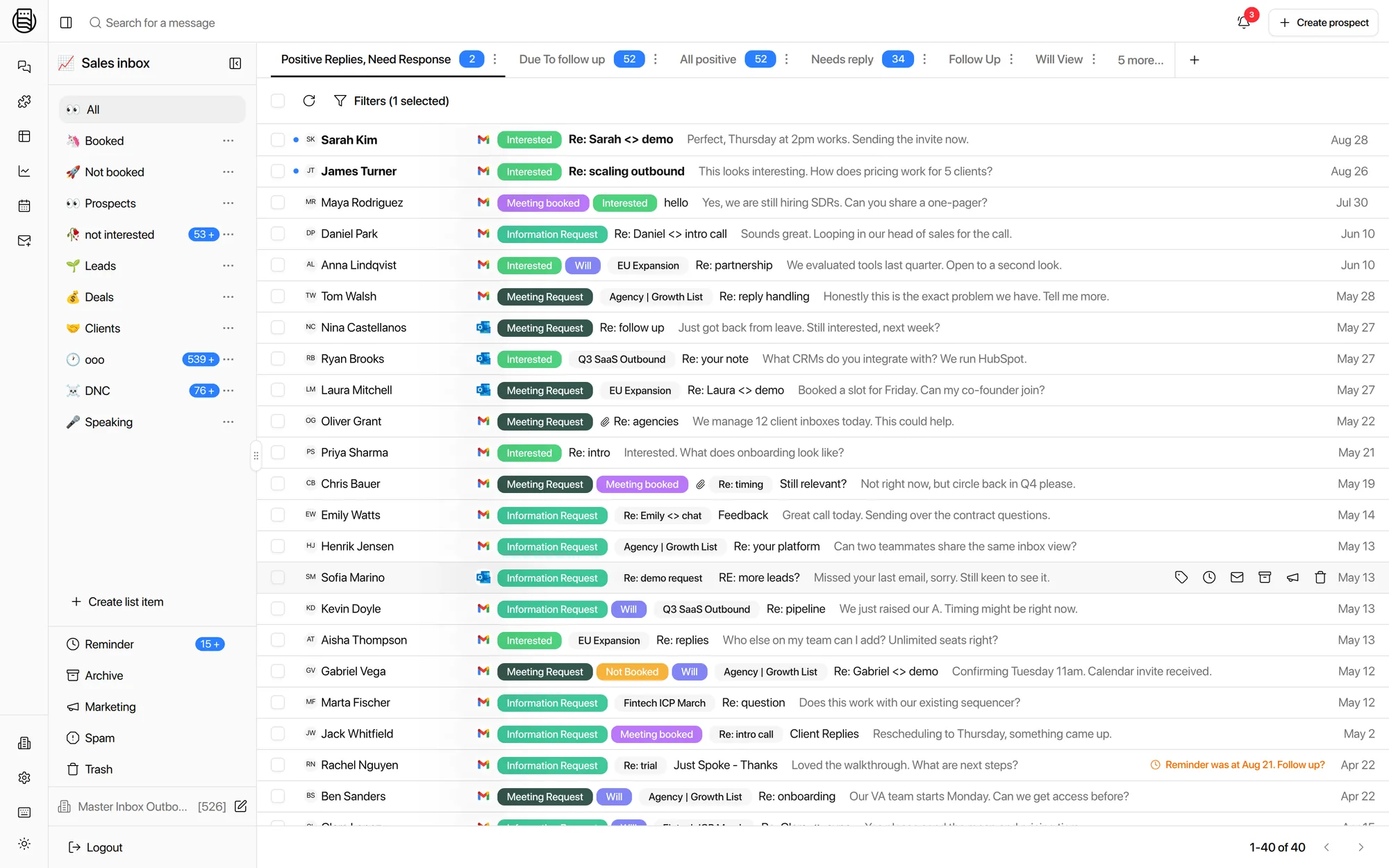
If a small team shares a company inbox and wants chat around every email, Missive does that well and we are not going to pretend otherwise. The comparison below is about a different job: working the replies your cold outbound generates.
Master Inbox vs Missive, feature by feature
The short version: Missive is priced per seat and built around a shared team inbox. Master Inbox is priced on dedicated mailbox tiers with unlimited users, as low as $22 per client at scale, and built around outbound replies.
| Master Inbox | Missive | |
|---|---|---|
| Built for | Outbound agencies and sales teams | Shared team inbox and support |
| Pricing model | Unlimited users. Priced on mailboxes and client workspaces | Per seat, per month |
| Hundreds of sending mailboxes | Designed for it. One operator can run 50+ inboxes | Not the design goal |
| LinkedIn replies | Same thread as email, per prospect | Email only |
| Sequencer integrations | SmartLead, Instantly, EmailBison, HeyReach, Lemlist and more | Not built for cold outbound tools |
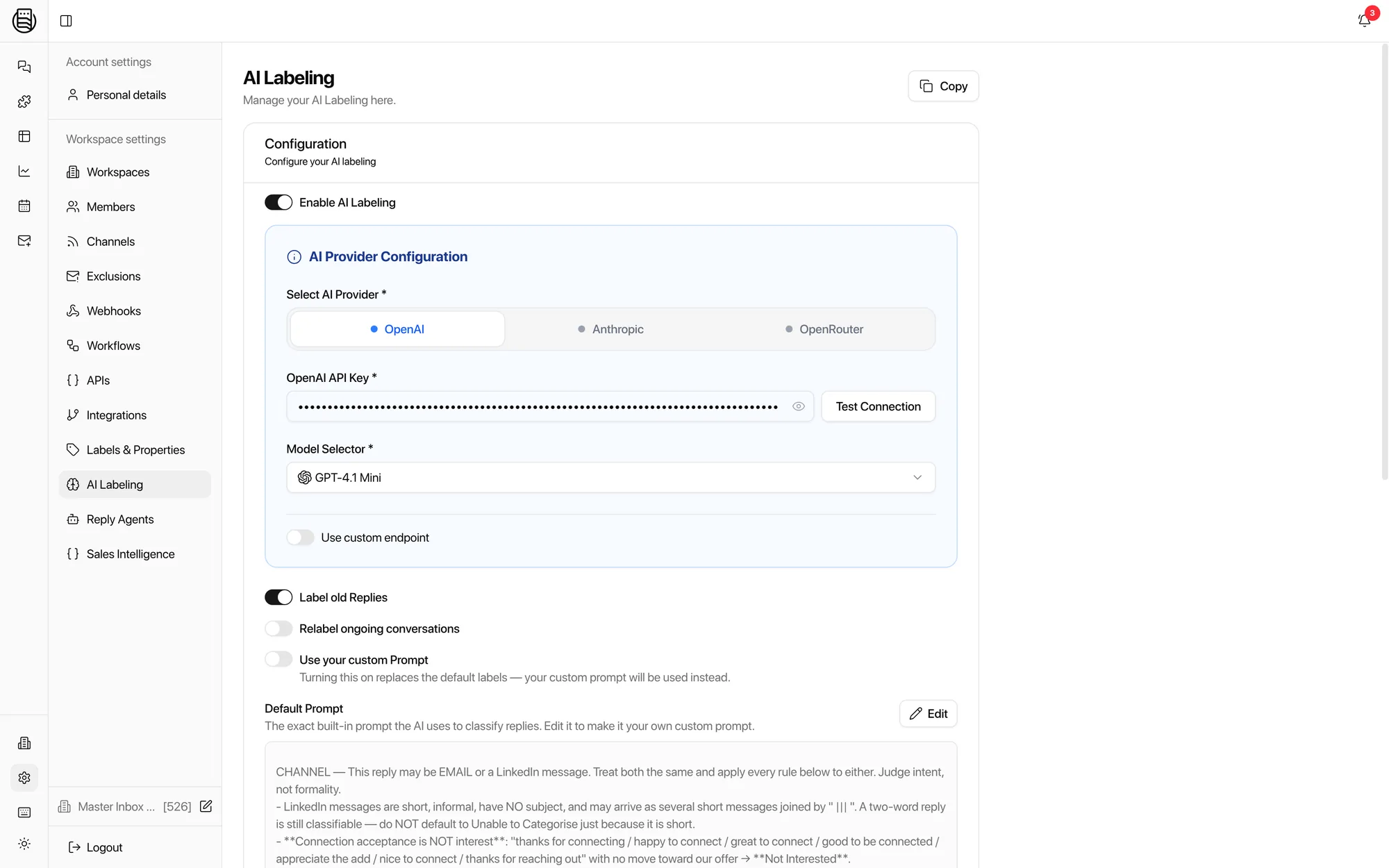
| AI on replies | Intent labels on every reply: interested, OOO, referral, pricing ask. Drafts in your voice | AI compose and summaries for team email |
| Client workspaces | Isolated workspace per client, white-label client views | Team-oriented, not client-oriented |
| Reply routing | Replies leave through the sending domain the thread started on, headers intact | Standard send from connected inbox |
| CRM sync | HubSpot two-way sync, unmetered. Webhooks to any CRM | App integrations vary by plan |
Swipe to see the full table
Comparison last verified: August 2026. Competitor features and pricing change; tell us if a row is out of date.
Why outbound teams actually switch
These are the four walls teams hit, in the order they usually hit them. All four come from real migration calls.
You can't see which campaign a reply came from
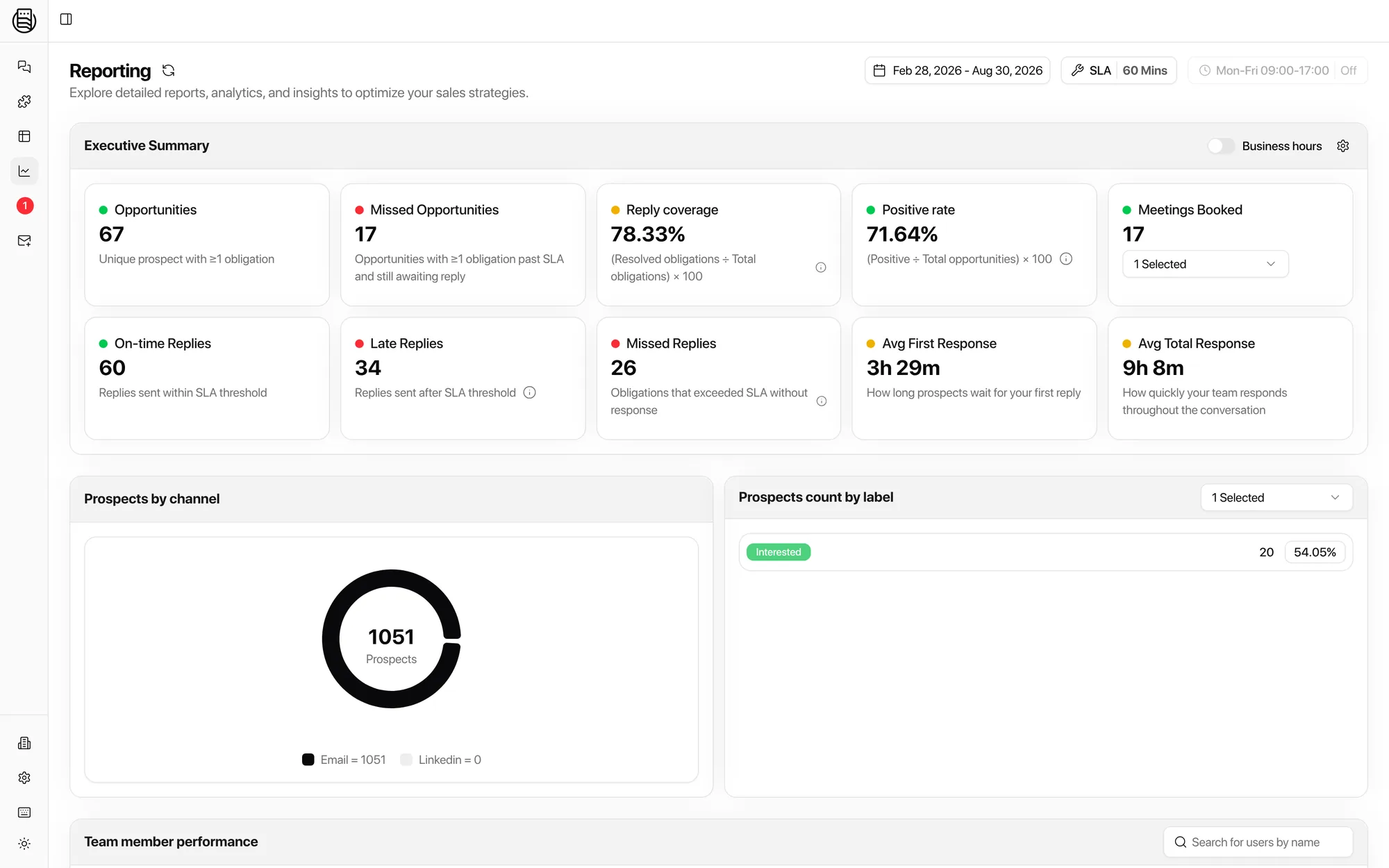
A shared inbox shows you the message. It cannot tell you which sequencer, campaign, or step produced it, so you can't tell which campaigns book meetings and which just make noise. Master Inbox links every reply to its campaign and pushes the data back, so reporting means something.
Forwarding is a house of cards
Shared inboxes ingest outbound replies by forwarding rules, and at volume that breaks: threads split, headers change, deliverability suffers, and some replies simply never arrive. Master Inbox connects the mailboxes directly, so every thread arrives whole.
Half your conversations are on LinkedIn
Outbound runs on email and LinkedIn together, across automation tools and SDR profiles. A team inbox has never heard of any of that. Master Inbox threads both channels per prospect, so the meeting request hiding in a LinkedIn second reply gets seen.
Two responders becomes eight
One team we spoke to ran two people in their shared inbox and needed to scale to eight plus. On per-seat pricing that is a 4x bill before anyone answers a reply. Master Inbox has unlimited users on every plan, so scaling the team costs nothing.
Reps stop alt-tabbing to ChatGPT
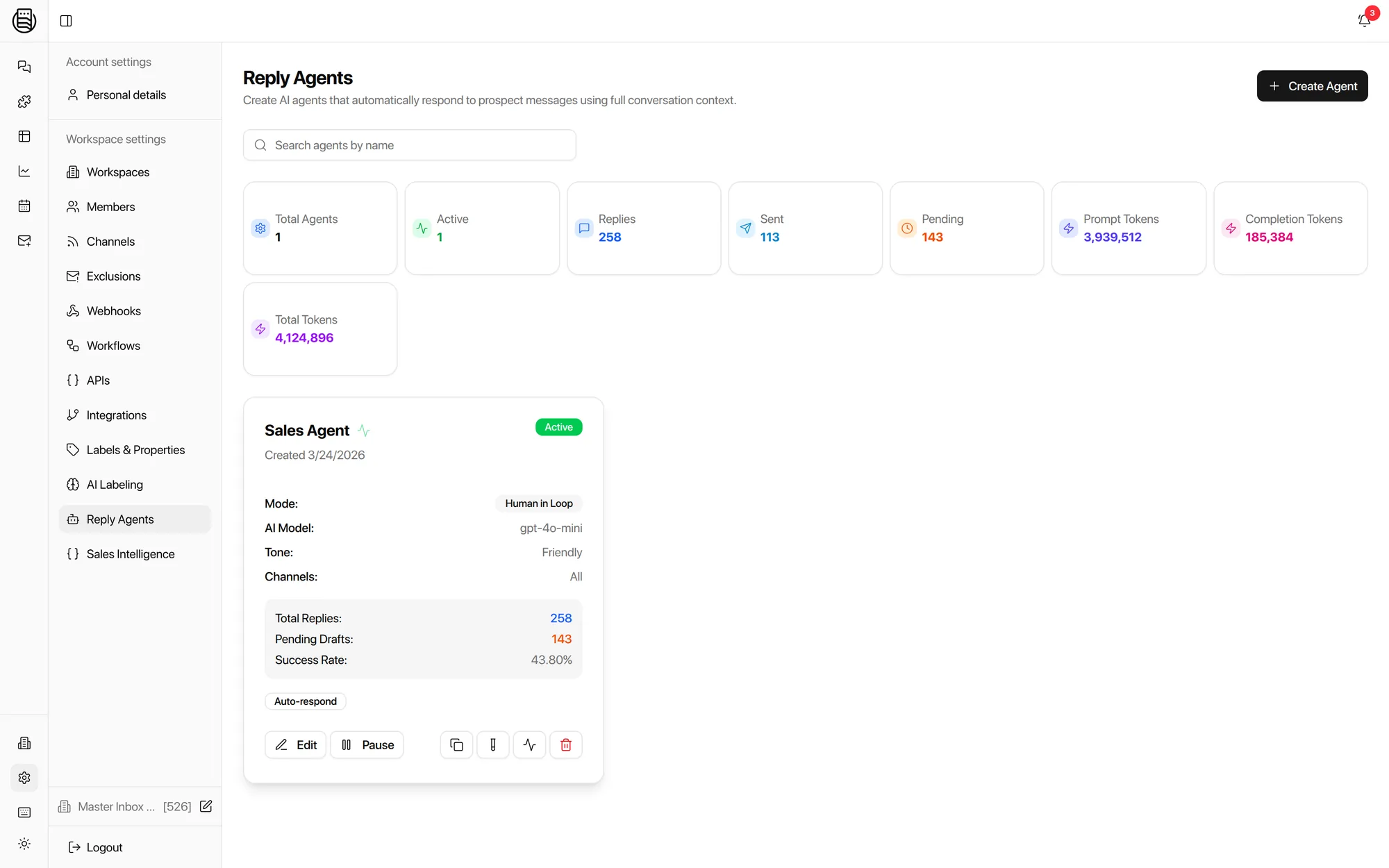
The pattern in a shared inbox: read the reply, switch to an AI chat to draft, switch to the calendar to find a slot, paste it all back. Master Inbox drafts in place with your own LLM key and proposes real calendar availability in the reply.
The hot reply waits its turn
In a first-in-first-out shared inbox, a pricing question queues behind forty out-of-office notices. AI labels sort replies by intent the second they land, so your team works interested and meeting-request first, every time.
Questions we get
When is Missive the better choice?
We already use Missive for our shared inbox. Do we have to switch?
What are the best Missive alternatives?
Missive vs Front: which is better?
Is Master Inbox a help desk?
What does per-seat pricing actually cost at scale?
Can it tell me which campaign a reply came from?
We pipe replies in with forwarding rules today. Why change that?
Does Master Inbox replace my sequencer?
How fast is setup?
Also comparing? Masterinbox alternative · Front alternative
Compared against Missive's public documentation, last checked 21 September 2026. Missive is a trademark of its owner; Master Inbox is an independent product and is not affiliated with Missive.