
Know who is sitting on a hot lead
Speed-to-lead wins deals. Set a response-time SLA on interested replies, and see exactly who is on time, who is late, and who missed one, by rep and by channel.
Start your free 7-day POCFree 7-day POC. Unlimited users on every plan. SLA tracking across email and LinkedIn.
Illustrative example. Your numbers come from your own replies and SLA settings.
One screen, four questions answered
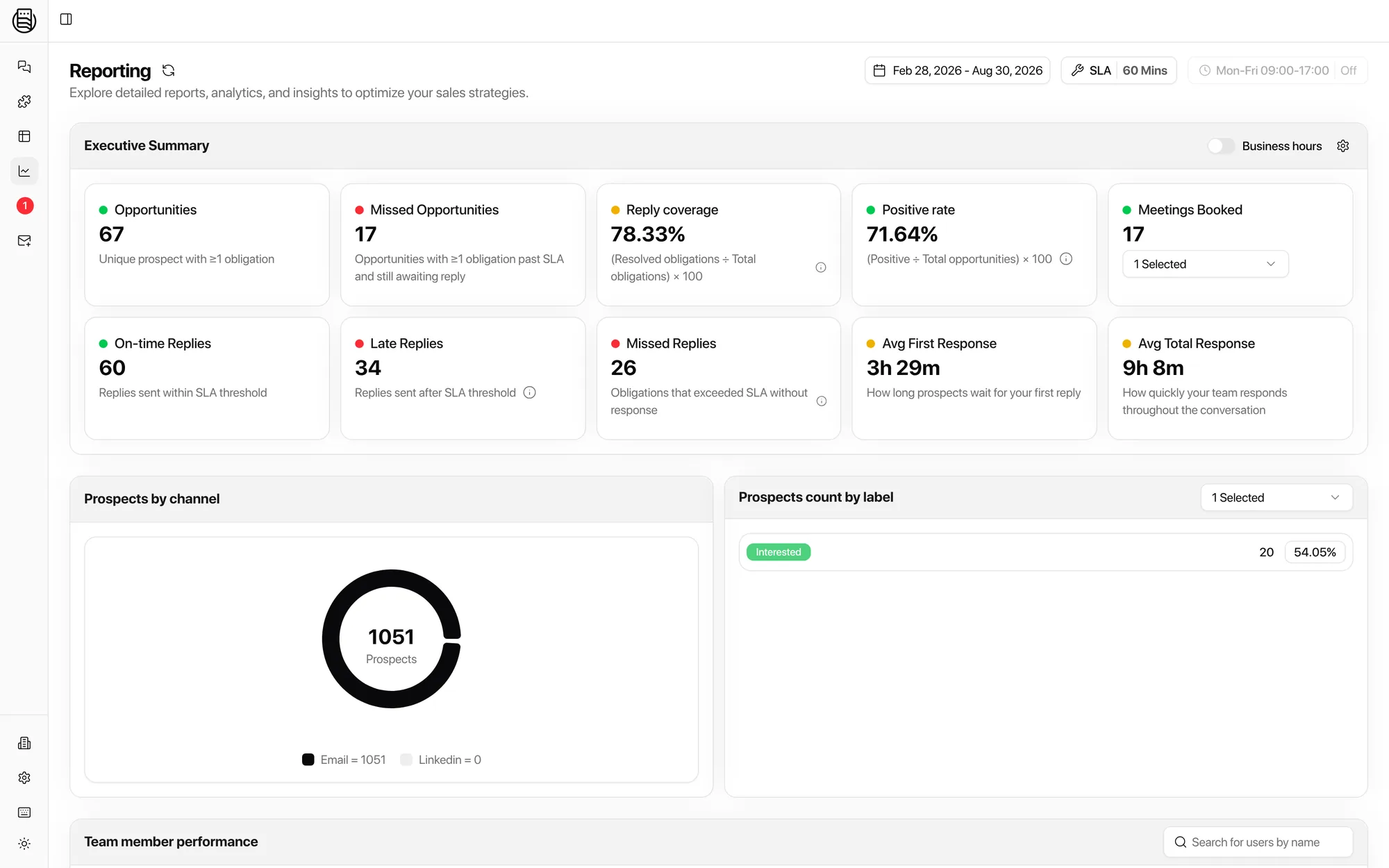
This is the reporting view on live data. The numbers below come from your own replies.
 1
2
3
4
1
2
3
4
- 1Your SLA, set herePick the threshold, 60 minutes or whatever you promise, and switch business hours on or off. Everything below is scored against it.
- 2Executive summaryOpportunities, missed opportunities, reply coverage, positive rate, meetings booked, and the on-time, late and missed split.
- 3Channel splitProspects by channel, so you can see whether LinkedIn is quietly being neglected next to email, and label counts beside it.
- 4Team member performanceSearch any teammate and read their own response times, coverage, and missed replies.
The formulas, in the open
Two numbers decide whether reply handling is working. Here is exactly how each one is built.
In plain English: of every reply that needed an answer, what share actually got one. An obligation is a message waiting on your team. Resolve it and it counts.
In plain English: of every prospect who came into play, what share turned positive. Coverage tells you the effort. This tells you the result.
Avg first response measures reply received to first reply sent. Avg total response measures how long the whole back-and-forth takes to resolve.
SLA policy
An SLA that does not punish your team for sleeping
Set the threshold you promise, then decide whether the clock runs around the clock. With business hours on, a reply that lands at 23:40 on Friday starts its timer at 09:00 on Monday.
Every reply then falls into exactly one bucket, so you see the shape of the problem instead of an average that hides it.
Per-rep, on the same rules
When a lead goes cold, the question stops being a debate. Everyone is measured against the same SLA and the same business hours.
A lead answered inside your SLA converts. The same lead answered a day late usually does not. This is where you see the difference before it costs you the deal.
Illustrative figures. Real numbers come from your own replies, and the same view exists per channel and per label.
Explore more: Unibox, Reply Agents, integrations, pricing
Questions we get
What counts as a missed reply?
Can I set business hours?
Can I see response time per teammate?
Does it track LinkedIn replies too?
How is reply coverage calculated?
How is positive rate calculated?
Do I need a separate tool for this?
See it on your own inboxes
Book a demo and see SLA tracking and reply coverage on your own numbers.
Start your free 7-day POC