
8:40 AMMaster view
Morning triage, every client at once
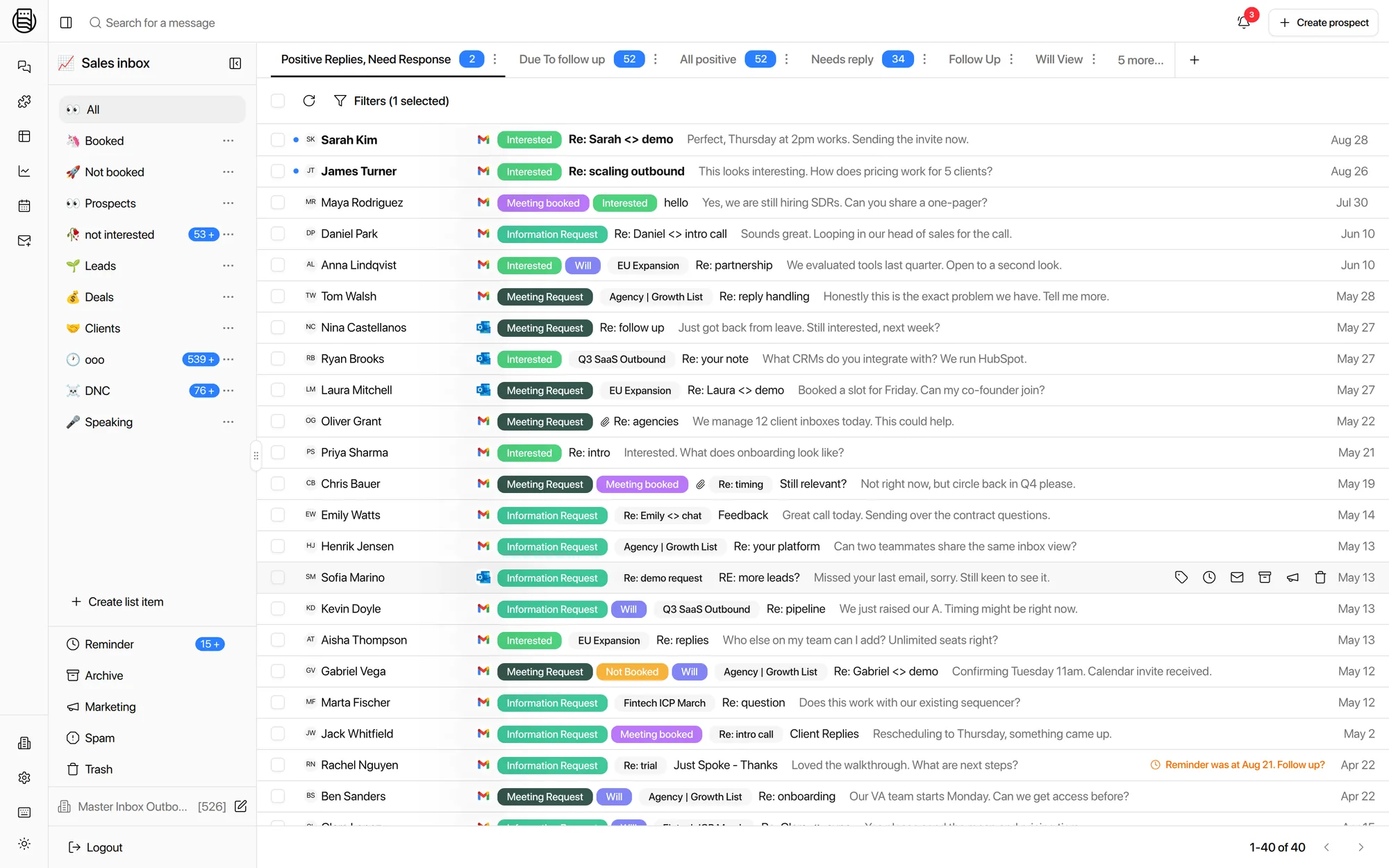
Open one screen and see new replies across your whole book. Interested first, objections next, the rest can wait. No logging into ten tools to find out where the day starts.
Every client, dozens of mailboxes, one workspace each. Replies come back tagged, routed, and provable, so you can scale client count without hiring another reply handler.
Scale your client count without hiring another reply handler.
Dana O. · “Send the deck over.”
9 new repliesPriya N. · “What’s pricing for 10 seats?”
5 new repliesMarcus T. · “Works for me Thursday.”
12 new repliesFiguring out which client workspace has which reply
Waiting on Smartlead or Instantly filters that load late or wrong
Missing replies during workspace swaps
LinkedIn in one browser tab, email in another
Email and LinkedIn in one inbox, with filters that hold at volume
Replies sent from Slack or HubSpot, for both channels
Reply agents drafting, answering FAQs, and offering calendar times
Speed to lead under 5 minutes, from 20 or more
Under 5 clients? The Ramp program is the Agency plan at $299 a month while we help you grow into it.
Agency work is not one inbox. It is ten, each with its own mailboxes, its own campaigns, and a client who wants an answer today. Here is what that day looks like on one reply layer.
Open one screen and see new replies across your whole book. Interested first, objections next, the rest can wait. No logging into ten tools to find out where the day starts.
The question every client asks on a call. Open their workspace, filter to the campaign, and read back what went out, what came back, and who worked it. The answer takes seconds, not a spreadsheet night.
Connect their mailboxes and LinkedIn into a fresh workspace. Their data stays theirs. The same prospect showing up at two of your clients never merges into one record.
On the Enterprise plan, Master Inbox branding comes off. Embed a client’s inbox view inside your own portal with an iframe, isolated to that one client. API access is included if you want to build your own layer on top.
Available on the Enterprise plan.See pricing
Illustration of an embedded client view.
The usual answer to more clients is more people watching inboxes. That is the line that breaks an agency’s margin first.
Cost per added client: another person, every time.
Cost per added user: flat, because seats are unlimited.
No salary math here, because yours is yours. The point is the shape of the line: your cost follows mailboxes, not headcount.
“That’s the kind of tool I would have built if I had to build one for my business. If all my 15, 20 clients can be in the same space, it’s going to be magic.”
Yes. Every client gets its own workspace with its own mailboxes, replies, and reporting. The same prospect showing up at two different clients never merges into one record.
White-label is available on the Enterprise plan. It removes Master Inbox branding and lets you embed a client’s inbox view inside your own portal with an iframe, isolated per client. Enterprise also includes API access.
Yes. Seats are unlimited on every plan, so you can staff VAs and reply handlers across every client without paying per seat.
Any of them. SmartLead, Instantly, Bison, HeyReach and more, plus LinkedIn accounts. Your clients keep sending exactly as they do today and Master Inbox handles what comes back.
See all integrationsYes. Each client’s workspace has its own reporting on replies, response times, and booked meetings, so you can put real numbers in front of a renewal call.
See how agencies run their whole book of business in Master Inbox.
20 minutes, live with your own mailboxes. No setup before the call.