
One workspace per client. The client sees only theirs.
Each client gets its own mailboxes, LinkedIn accounts, labels, members, timezone and limits. Clone a workspace to onboard the next client, invite the client into their inbox only, and keep the agency view across every workspace at once.
Free 7-day POC. Unlimited users on every plan. Agency plans are priced per client workspace, never per seat.
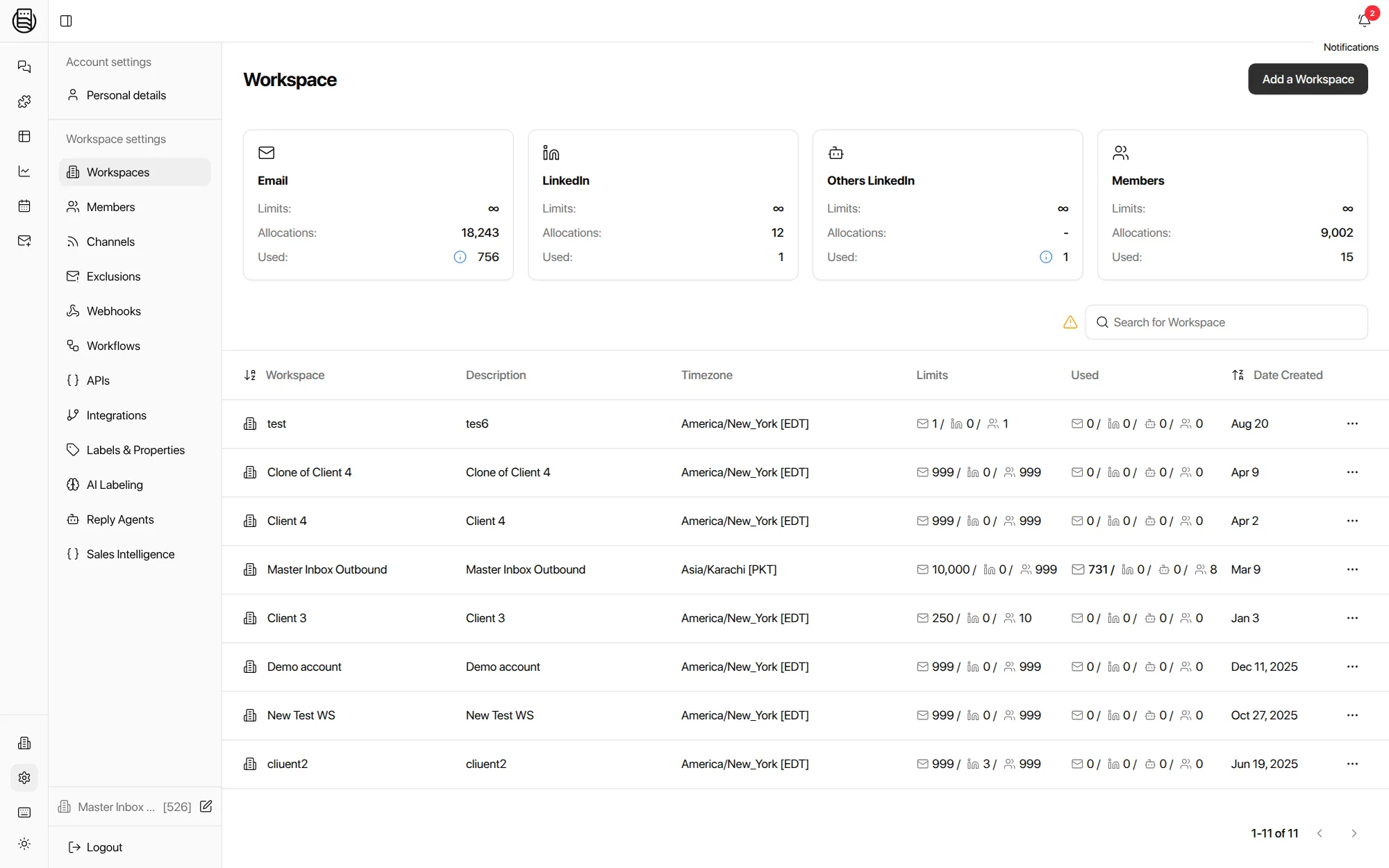
What does a client workspace contain?
Its own mailboxes, LinkedIn accounts, labels, members, timezone and limits, and nothing from any other client. Everything that should never leak between clients lives inside the workspace. Everything that should be shared lives above it.
Connected per workspace, with limits per workspace, so one client's 300 mailboxes never crowd another's view.
Each client can run its own taxonomy, its own prompt, and its own LLM key.
Your inbox managers across many workspaces; the client's people inside one.
Needs Reply for this client, the client's Slack channel, the client's HubSpot.
Business hours per workspace, so the SLA clock matches the client, not your office.
Coverage, response times and meetings booked, per workspace, ready for the monthly review.
Three ways clients see their replies
Most clients will not learn a new tool. On calls this comes up more than any permission question, so there are three levels.
A workflow forwards each interested reply to the client's inbox, last message only, and a scheduled view report sends the week's positives. See workflows.
Interested and meeting-request replies post to the client's Slack channel with the drafted answer. Nothing else does.
A member invited into one workspace sees that inbox, its labels and its reports, and cannot see the agency's other clients.
Onboarding the next client
Clone, connect, go
Clone a workspace and the labels, views, lists, exclusions and AI settings come with it. Connect the client's mailboxes, in bulk from Zapmail, InboxKit or HyperTide or by CSV, and the first replies are labeled the same afternoon.
Workflows are recreated per workspace today, in the app or with one API call each. Cloning them is on the roadmap.
The agency view
Your inbox managers should not switch workspaces to find out who owes a reply.
- All workspaces, one queue. An inbox manager assigned to ten clients works one Needs Reply view across all ten, with the client name on every row.
- Per-rep accountability. Reporting shows response times, coverage and missed replies per teammate across workspaces, on the same SLA rules.
- Limits you set. Mailboxes, LinkedIn accounts and members per workspace, so a client cannot quietly connect 200 more inboxes.
- Pricing that follows the model. Agency plans count client workspaces, with unlimited users. Under 5 clients, ask about the Ramp. See pricing.
Explore more: Master Inbox for agencies, Reporting, Workflows, pricing
Questions we get
Can a client log in and see only their own replies?
Can clients get replies without logging in?
How is an agency plan priced?
Can I clone a workspace for a new client?
Can each client run a different sequencer?
Is there white label?
See it on your own inboxes
Book a demo and we will set up two client workspaces live, including a client-only login.
Start your free 7-day POC