
An interested reply is worth the most in the first five minutes
Then it decays by the hour. Most teams find out a hot reply sat unanswered when the prospect stops replying. Master Inbox makes the wait visible, moves the reply to whoever can answer fastest, and answers it for you when nobody can.
Start your free 7-day POCFree 7-day POC. Unlimited users on every plan. Business-hours SLA included.
Why do interested replies sit for hours?
Because nobody knows the reply is waiting, the alert that fires has no reply in it, or nobody is on at 11pm. From six months of calls, those are the reasons. None of them is a lazy rep, although one sales leader used that word.
The reply is in one of forty mailboxes, or one of ten workspaces. Bold and unread are the only state. One RevOps lead described the inbox manager as floating in non-accountability land.
Slack says a reply came in. Answering means finding the thread, reading the history, writing the reply. The rep will do it later.
The best inbound replies arrive after hours, from the other timezone, on a Sunday. Speed to lead is a coverage problem before it is a discipline problem.
One agency owner told us the target is a reply inside five minutes to convert interest into a meeting. That is the number the rest of this page is built around.
Four minutes, four mechanisms
What happens to an interested reply inside Master Inbox, in the order it happens.
The reply lands from any mailbox or LinkedIn account and is labeled Interested on your own key. The label carries an obligation: your team now owes a reply, and the clock starts.
It moves to the Needs Reply view for the client or the rep who owns it. Waiting on me and 48 hours silent are views too, so nothing ages quietly.
A Slack card lands in the right channel with the prospect's message, the drafted reply and Accept and Edit buttons. The rep answers from Slack, and the email goes out through the right mailbox.
After hours, or on labels you have approved, a reply agent answers, follows up and books from live availability on Cal.com, Calendly, Chili Piper, GoHighLevel, Google Calendar or HubSpot. Anything it cannot verify is held for a human.
Accountability
An SLA your team can see
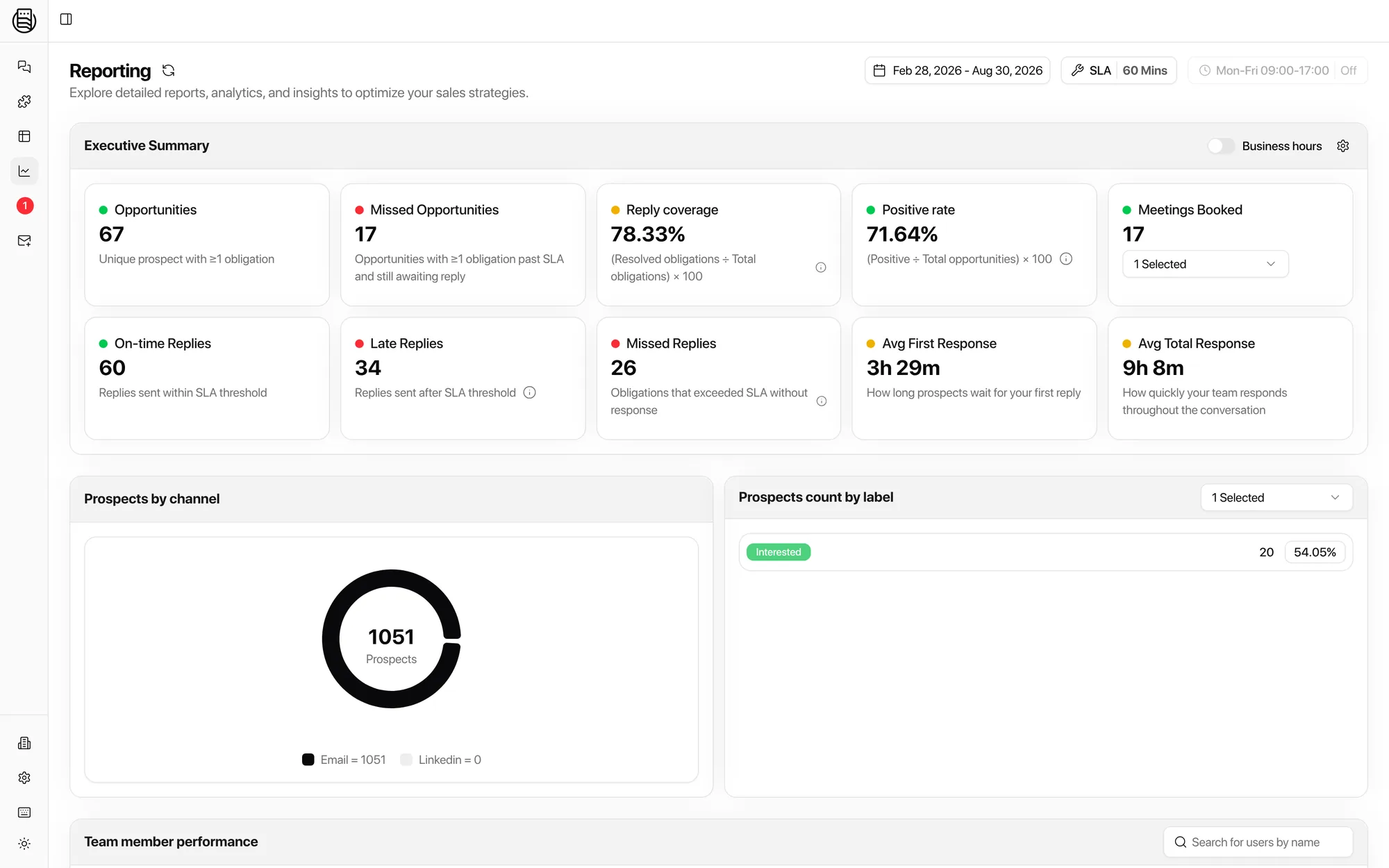
Set the threshold you promise, sixty minutes or whatever it is, and whether the clock runs on business hours. Every reply then falls into one bucket: on time, late or missed. Per rep, per client, per channel.
A sales leader on one call had reps delaying or ignoring interested replies with no way to see it. Another wanted throughput and response speed per team member by channel. This is that report. See reporting.
Coverage when nobody is on
Speed to lead after hours is not a staffing problem if the agent is allowed to answer.
- Draft first. Week one, every agent reply is a draft a human approves, from Slack or the inbox.
- Autonomy per label. Let Interested and Information Request run themselves once the drafts have earned it. Keep Angry Response and Wrong Person on a human.
- Real slots only. The agent reads live availability and books the meeting inside the conversation, while intent is high. No invented times.
- Held, not guessed. A reply that would promise something the agent cannot verify is held for review, whatever the label's autonomy.
Two agencies moved off a sequencer's built-in AI reply because clients wanted control back. Draft-first, per-label autonomy and a prompt per client is how that control stays with you. See reply agents.
Explore more: Reporting, Reply Agents, Workflows, Missed replies
Questions we get
What counts as speed to lead here?
Can the SLA respect business hours?
How does a rep answer from Slack?
Will the agent answer everything?
Does this work for LinkedIn replies?
See it on your own inboxes
Book a demo and set an SLA on your own replies. The first report shows who is sitting on a hot lead today.
Start your free 7-day POC