
Prove the replies were worked, without building a report by hand
Clients want to know two things: what came back and what you did about it. Most agencies answer that with a Notion page and a Loom once a month. Master Inbox answers it from live workspace data, on a schedule, in Slack, or in a login the client cannot wander out of.
Free 7-day POC. Unlimited users on every plan. Agency plans are priced per client workspace.
How do clients see that their replies were worked?
Three ways, picked per client: forwarded positives and a scheduled report with no login, a Slack channel, or a login that stays in its lane. Most clients will not learn a tool; on calls that came up more often than any permission question.
A workflow forwards each interested reply to the client, last message only, from their own domain. A scheduled view report sends the week's positives as one email.
Interested and meeting-request replies post to the client's channel with the drafted answer. The client sees the good news and nothing else.
A member invited into one workspace sees that inbox, its labels and its reports. Not your other clients, not your agency views.
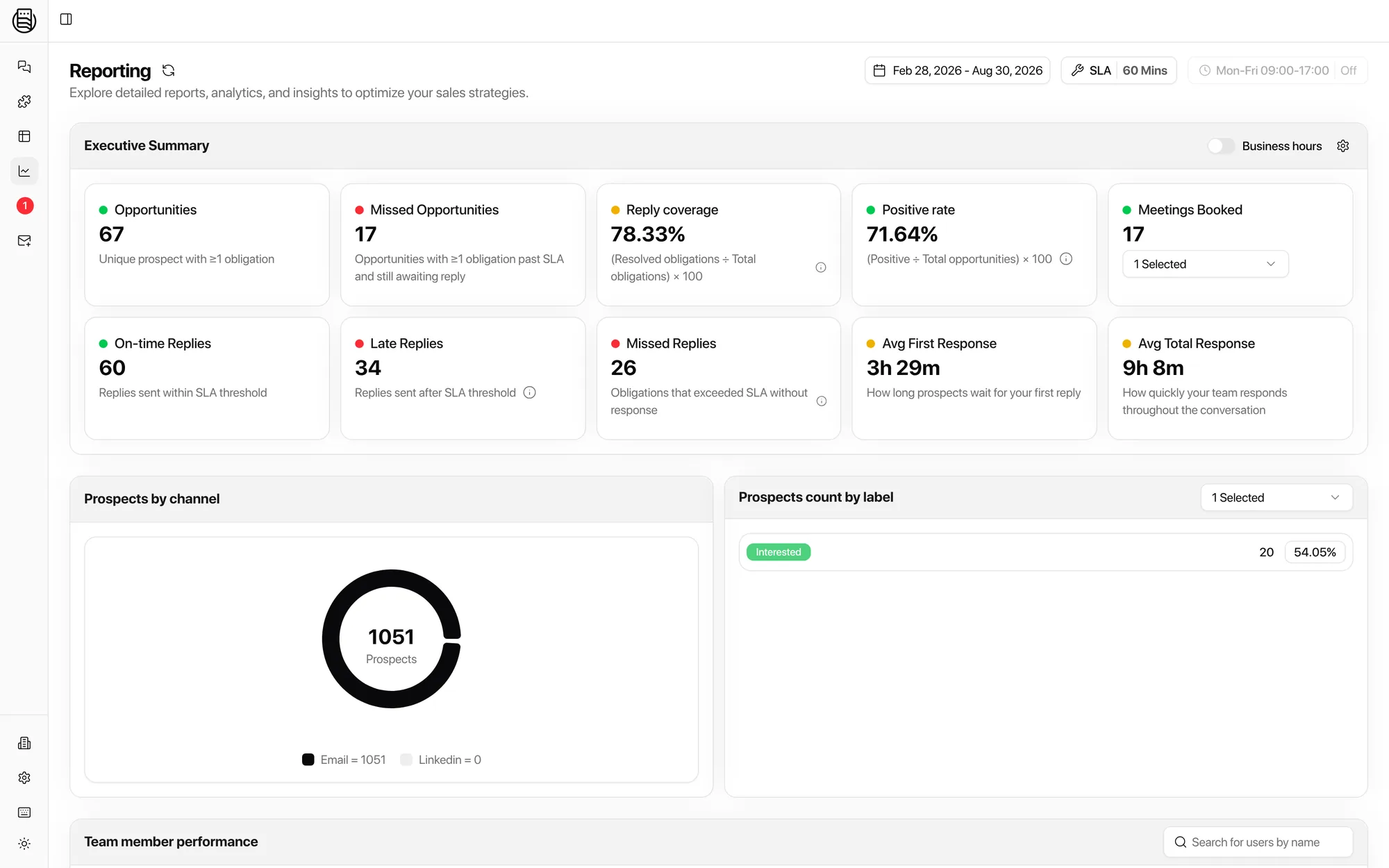
The four numbers a client review needs
Computed per workspace from live data, so the monthly review is a filter, not a project.
Of every reply that needed an answer, the share that got one. Resolved obligations over total obligations.
Of every prospect who came into play, the share that turned positive. Effort and result side by side.
Average first response and total response, against the SLA and business hours you agreed with the client.
Booked through Cal.com, Calendly, Chili Piper, GoHighLevel, Google Calendar or HubSpot, attributed to the workspace and the rep.
Missed replies are on the same screen. Agencies told us the honest number is what keeps a client; the hidden one is what loses them.
What agencies told us on calls
Paraphrased, names left out.
- Present every lead without forcing a login. A large LinkedIn agency's reporting broke whenever its Zapier and Drive chain did, and it needed every lead in front of the client anyway.
- Only the interesting ones. Several agencies wanted clients notified for interested and meeting-request replies and nothing else, so clients stop asking about every out-of-office.
- Obligations, not vanity metrics. An in-house team running 250 mailboxes wanted to see who owed a reply, not how many emails were sent.
- Response speed by rep, by channel. Two agency leads wanted throughput, labels and adherence to process per team member, to hold their own people and the client's SDRs to the same standard.
- The monthly review, without the Notion page. One agency assembled a Notion page and a Loom every month by hand. Tables and the scheduled view report replace both.
Set it up once per client
Then clone the workspace for the next one.
Workspace and SLA
One workspace per client with its timezone, business hours and the response time you promised. Client workspaces.
Views and channel
A positives-only view, a Needs Reply view for your team, and the client's Slack channel wired to the Interested label. Workflows.
Report and review
The scheduled view report goes out weekly. Reporting and Tables carry the monthly review. Reporting.
Explore more: Client workspaces, Reporting, Master Inbox for agencies, Workflows
Questions we get
Can a client get reports without logging in?
Can I show clients only the positive replies?
Can clients see my other clients?
Is white-label reporting available?
How do I run the monthly review?
See it on your own inboxes
Book a demo and we set up a client workspace live, with the scheduled report and the Slack channel their team will actually read.
Start your free 7-day POC