
Your sequencer is missing replies. Here is where they are.
Smartlead, Instantly and EmailBison see the replies they sent for. The forward to a colleague, the answer from a new address, the CC, the reply that arrives after the sequence ended: none of those have a campaign to attach to. Master Inbox reads the mailbox itself, so they land anyway.
Start your free 7-day POCFree missed-reply audit before any commitment. Free 7-day POC. Unlimited users on every plan.
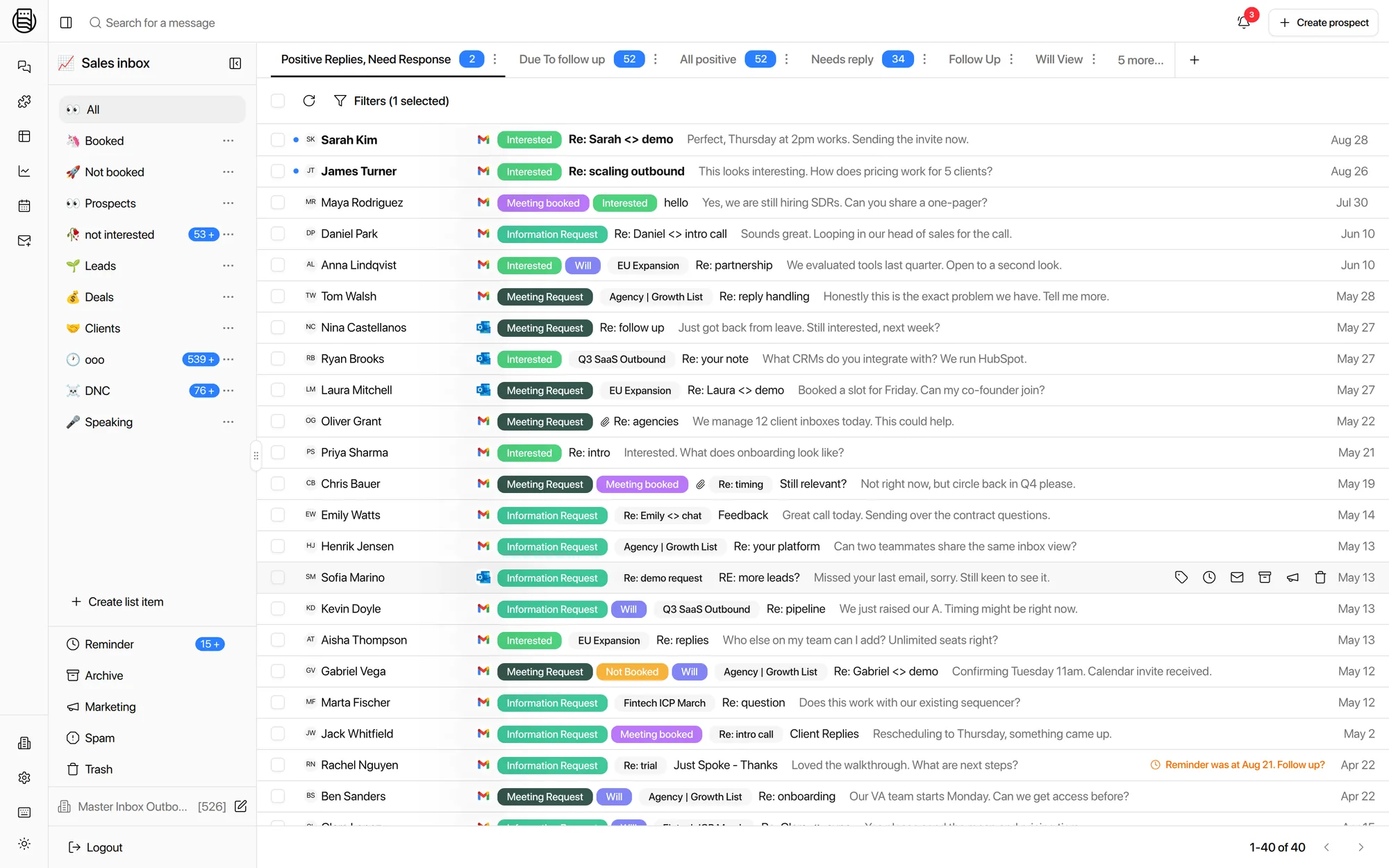
Why does a sequencer miss replies?
Because a sequencer only sees replies that land on the exact thread it sent. Internal forwards, CC replies and new addresses, the reply-to domain, out-of-sequence answers, rotated or disconnected mailboxes and out-of-office chains all fall outside that. Every one came up on a sales call in the last six months. None is a sequencer bug.
Your prospect forwards the email to the person who actually decides. That person replies from their own address. There is no campaign for that address.
The prospect loops in an assistant, or answers from a second account. Same conversation, different sender, invisible to campaign attribution.
Replies to the reply-to address on your main domain land in a mailbox the sequencer is not tracking. One in-house team lost both capture and analytics this way.
A prospect replies three weeks after the last step, to a sequence that is no longer active. Agencies running ten workspaces told us these are the ones they lose.
A mailbox drops out of rotation or loses its connection. Replies keep arriving in it. Nothing downstream knows.
An auto-reply names a colleague and a return date. Treated as noise, it is a lead with a name and a follow-up date attached.
Internal data across connected workspaces puts these at roughly 12% of all replies. The forward and the new address are most of it.
"The missed-reply thing is genius. It's like a no-brainer. So I missed a reply that's like a potential meeting booked."Adrian B., agency founder, on a demo call, after seeing the replies his sequencer webhook had not carried.
What one missed reply costs
The math is uncomfortable because it is simple.
- The reply is the expensive part. Everything before it, the list, the mailboxes, the copy, the sending, was spent to earn it. A missed reply wastes all of it.
- It is usually the warm one. Forwards happen when a prospect is interested enough to involve a colleague. The forward is the buying signal, and it is the reply most likely to be lost.
- Agencies pay twice. One founder put a single reply at twelve to fifteen thousand dollars of contract value, and knew of one that had been missed. An agency's missed reply is also a client's reason to churn.
- You cannot see the ones you missed. Which is why the audit connects a workspace and counts them, instead of asking you to guess.
Put your own reply rate and deal size into the calculator to see what the 12% is worth to you.
How Master Inbox catches them
Three mechanisms, none of which depend on the sequencer noticing.
Every sending mailbox is connected directly, in bulk from Zapmail, InboxKit or HyperTide or by CSV. A reply is a reply whether or not a campaign claims it. Sequencer webhooks run alongside as a second source.
Forwards, CC replies, new addresses and new subject lines are threaded to the prospect they belong to, so the person who replies from a second account is not a stranger.
A mailbox that disconnects fires an event. Out-of-office replies get their own label with the return date and the colleague's name. Warm-up mail is excluded before it can hide a real reply.
Then the reply is labeled, put in the Needs Reply view, posted to Slack with a draft, or answered by a reply agent. What happens next.
Count yours before you decide
The free missed-reply audit takes one call.
Connect one workspace
Your sequencer by API key and the mailboxes behind it, live on the call.
Backfill and label
Master Inbox reads the history and labels it on your own key, including the replies with no campaign attached.
See the number
The replies your sequencer reported, next to the replies that were actually in the mailboxes. Then decide.
Explore more: vs Smartlead's inbox, vs Instantly Unibox, The better unibox, Speed to lead
Questions we get
Why does my sequencer miss replies at all?
Is this a Smartlead, Instantly or EmailBison problem?
How many replies are we talking about?
Does Master Inbox need the sequencer webhook?
What happens to out-of-office replies?
What is the free missed-reply audit?
See it on your own inboxes
Book the free missed-reply audit. We connect one workspace on the call and count the replies your sequencer never showed you.
Start your free 7-day POC