
When a reply is labeled, the rest happens by itself
Eighteen triggers, forty-odd actions, conditions in between. The Slack alert with an approve button, the list move, the HubSpot update, the sequence stopped the moment a meeting is booked: built inside the inbox, so nothing runs through Zapier, Make or n8n.
Free 7-day POC. Unlimited users on every plan. Workflows are included, not metered.
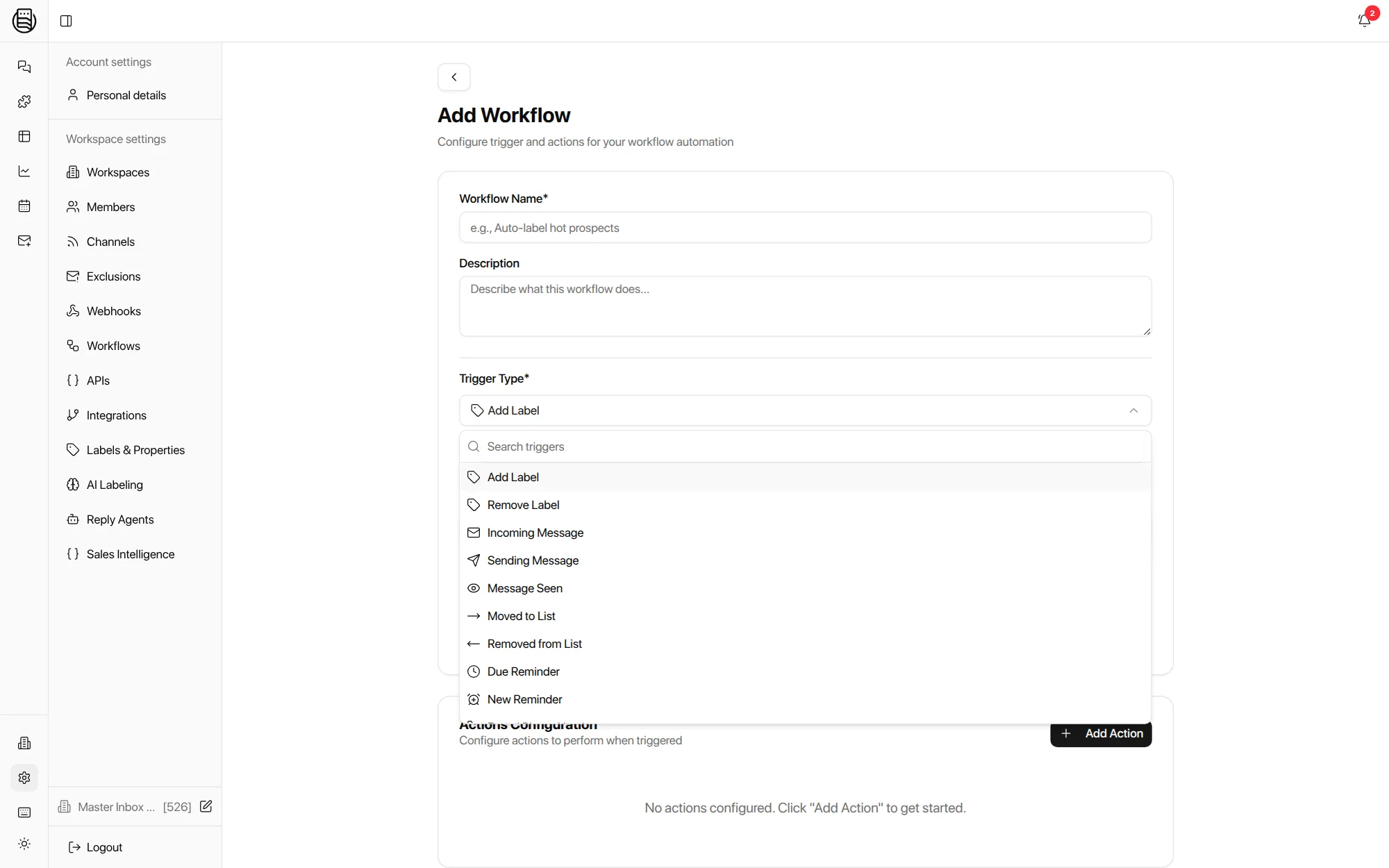
How do you build a reply workflow in Master Inbox?
In two clicks: pick what happens, then pick what should follow. The card below is the workflow you would save in the app, and the payload is the exact request the API accepts.
The API request this makes
Runs inside Master Inbox on every plan. Also creatable over the API.
The workflows teams build in week one
Taken from what agencies and sales teams ask for on calls, in the order they ask. Load any of them into the builder above.
Eighteen things that can start a workflow
Every trigger is an event the inbox already sees. Dashed ones are set up in the app only.
Sending Message can wait: add a delay of minutes or hours (up to 30 days) before the actions run, which is how a follow-up reminder gets set only if nobody has answered.
Five groups of actions, chained in order
One to ten actions per workflow, run in sequence. Conditions sit between the trigger and the actions: which labels, which lists, which channels.
Add, remove or replace labels, move to a list, archive, mark read, set a reminder, upsert or enrich the prospect.
Post to Slack with the drafted reply and Accept and Edit buttons, email the owner, fire a webhook with the thread, or forward the message to the client.
Add to, remove from, pause, resume or unsubscribe from campaigns in Smartlead, Instantly, EmailBison, PlusVibe and HeyReach, including subsequences.
Push the contact and conversation to HubSpot on the label, on top of the two-way sync that runs underneath.
Add a row to a Google Sheet, or update an opportunity and create a task in Close. Set up in the app.
One guard rail worth knowing: Slack, email and webhook notifications are skipped when the thread's last message is older than 72 hours, so a relabel of an old conversation never wakes the whole team.
What this replaces
Most teams arrive with a sequencer webhook feeding a Zapier or Make scenario feeding Slack and a Sheet. Each hop is a place a reply can be lost.
- Sequencer webhook to Slack. Misses forwards, CC replies and new-address replies, because the sequencer never saw them. The inbox reads the mailbox itself.
- Zapier, Make or n8n scenarios. Per-task pricing, per-client maintenance, and a second place to debug. Workflows are included on every plan.
- A Sheet as the reply log. Replaced by lists, saved views and Tables on live data.
- Manual CRM logging. Replaced by the HubSpot action on the label, and by the sync running underneath.
Explore more: AI Labeling, API and webhooks, Reply Agents, pricing
Questions we get
Do I still need Zapier, Make or n8n?
Which triggers exist?
Can a workflow post to Slack with an approve button?
Can it stop the sequence when a meeting is booked?
Can I create workflows over the API?
Do workflows copy over when I clone a client workspace?
See it on your own inboxes
Book a demo and build your first workflow live: interested reply in, Slack alert and HubSpot update out.
Start your free 7-day POC