
Call the lead while the reply is still warm
When a prospect writes back “call me”, your rep calls from the same screen. Use the built-in MI Inbox Dialer, or send the lead to Aircall, Nooks or Close as a call task.
Dialer handoff is part of the Revenue plan. Free 7-day POC, unlimited users.
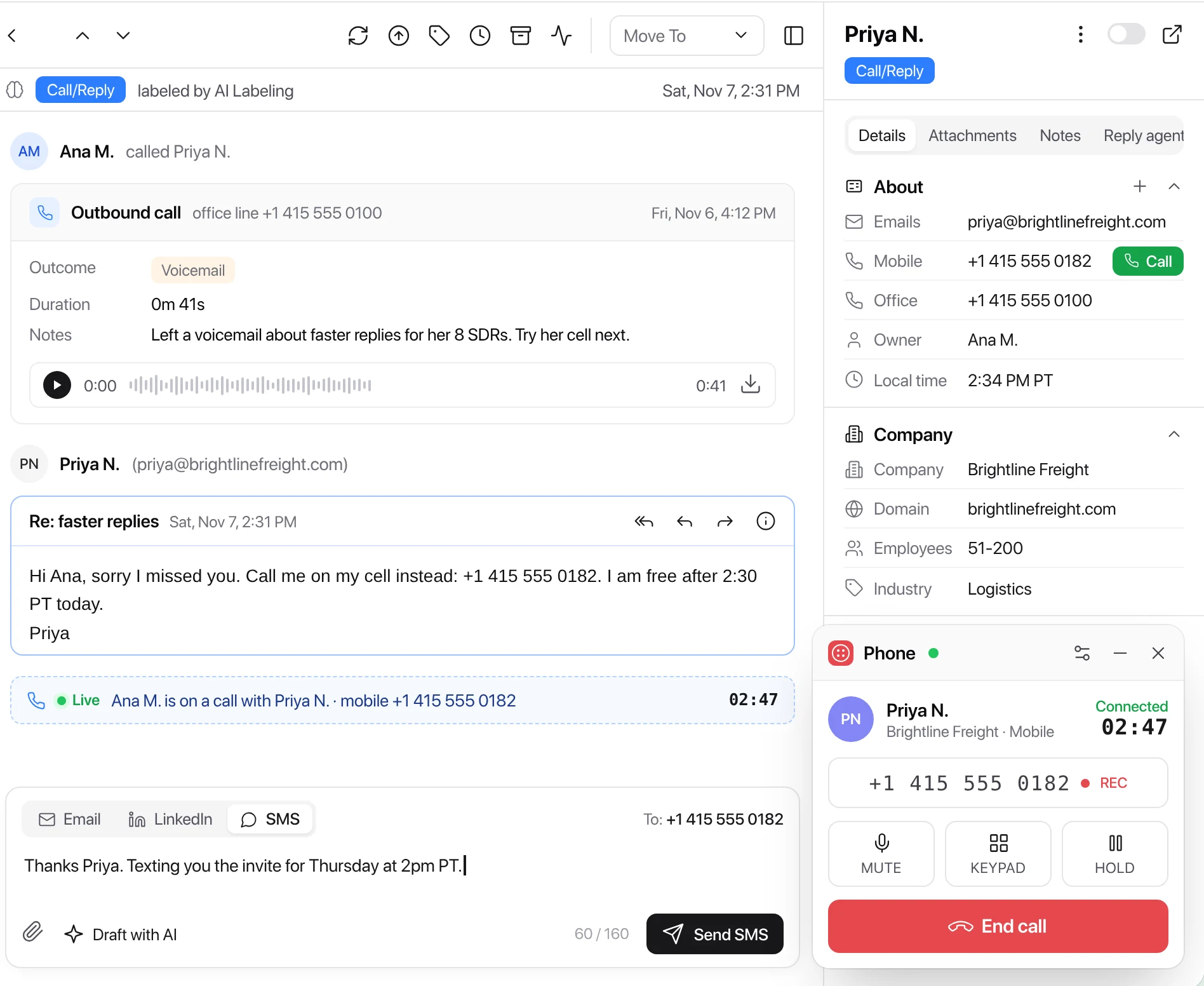
Built in
The MI Inbox Dialer, on your own Twilio account
Connect Twilio once and every rep can call from Master Inbox. Calls and texts bill to your Twilio account, at Twilio's rates.
- One click to call. From the lead panel, the conversation or a table of leads.
- Every call on the lead. Status, duration, outcome, notes and an optional recording, kept on the thread.
- Text and voicemail. Send an SMS from the reply box or right after a call, or leave a voicemail.
- Inbound calls ring in the browser and match the lead. Forward to a mobile so both ring.
- One number per workspace, so each team calls from its own line.
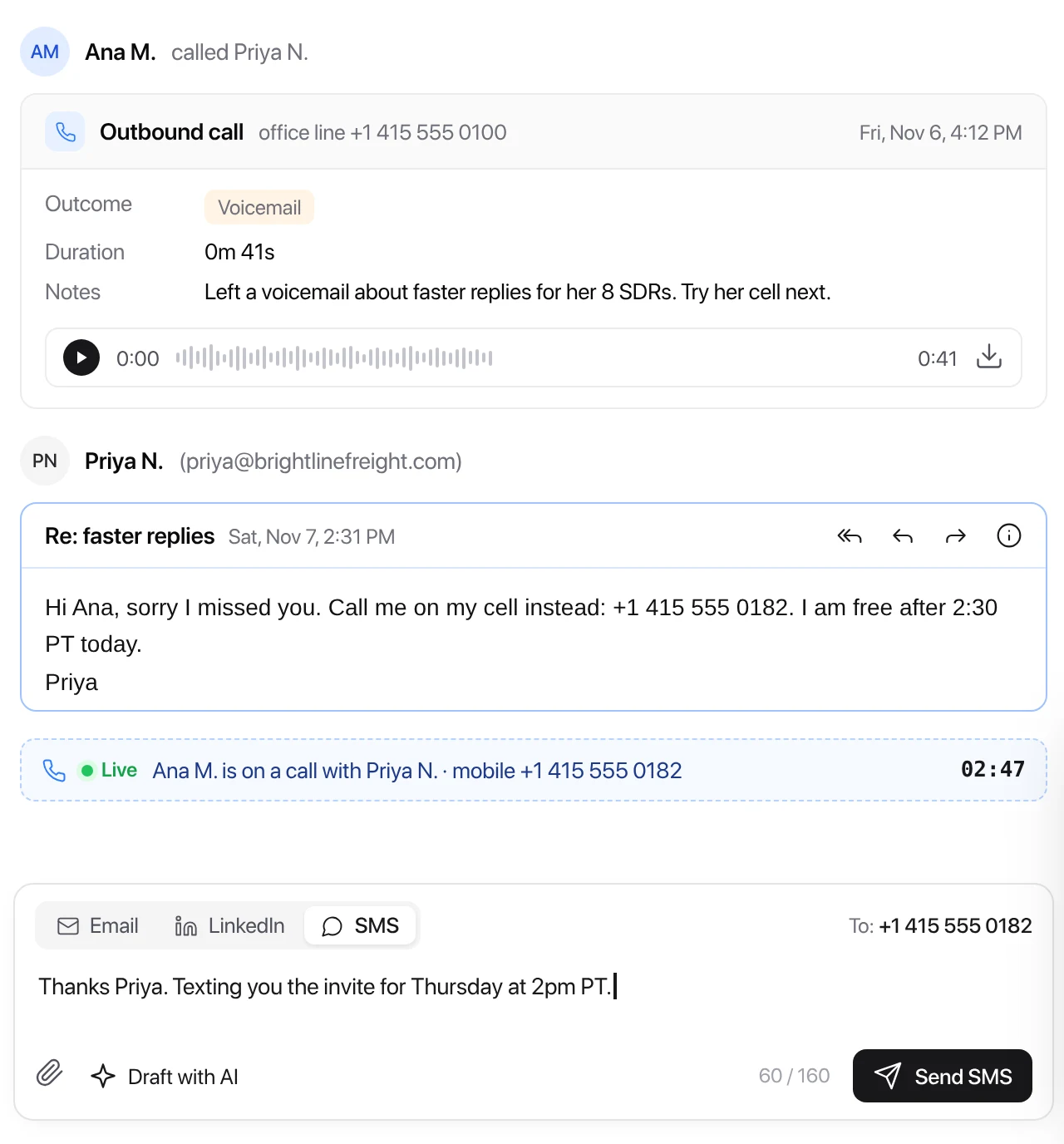
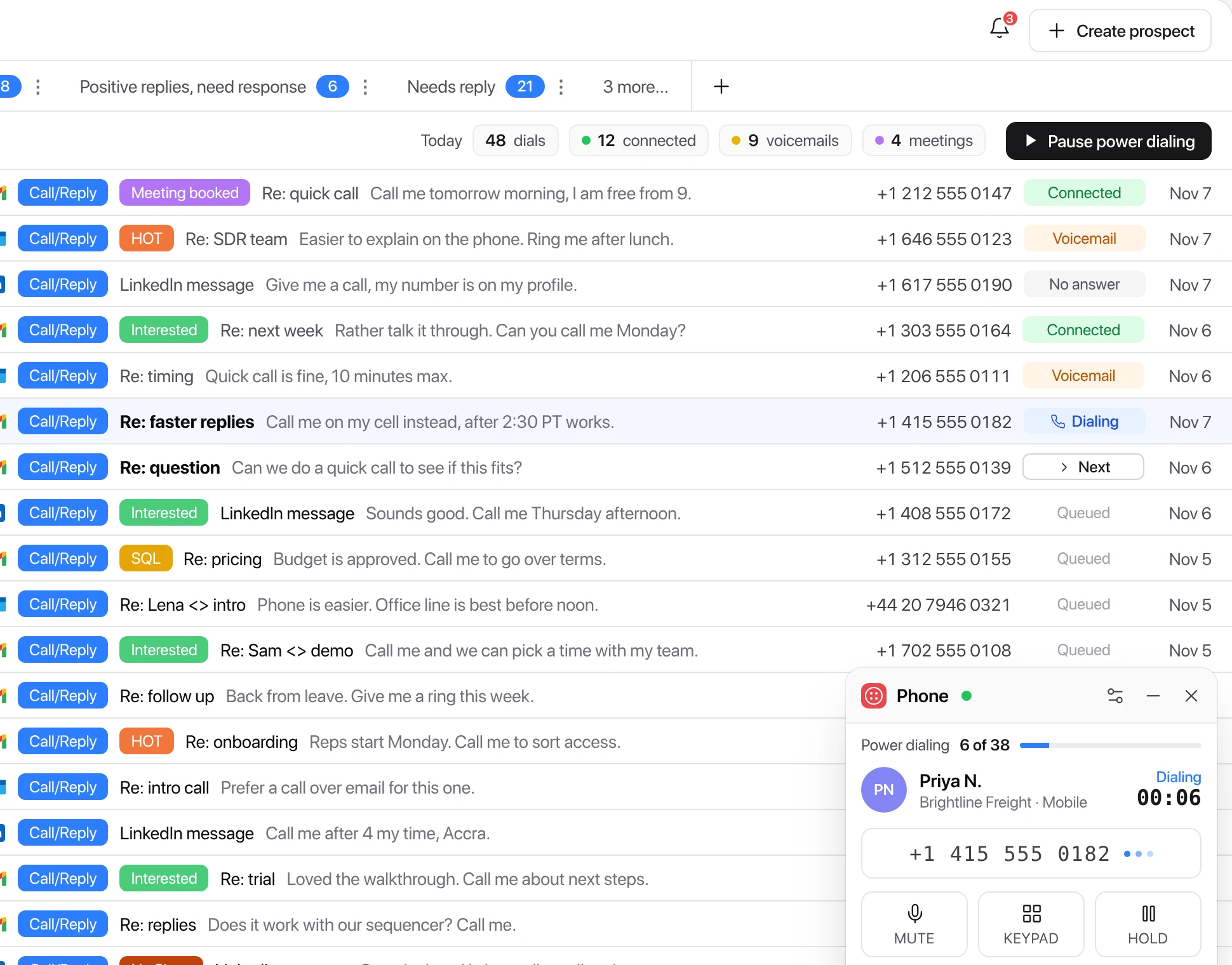
Power dialing
Work every “call me” back to back
Queue up a label or a list, like every lead labeled Call requested, and dial through it one lead after another. Each outcome lands on the lead, so the next rep sees what happened.
Already have a dialer? Keep it.
Master Inbox hands the lead to the dialer your team already uses.
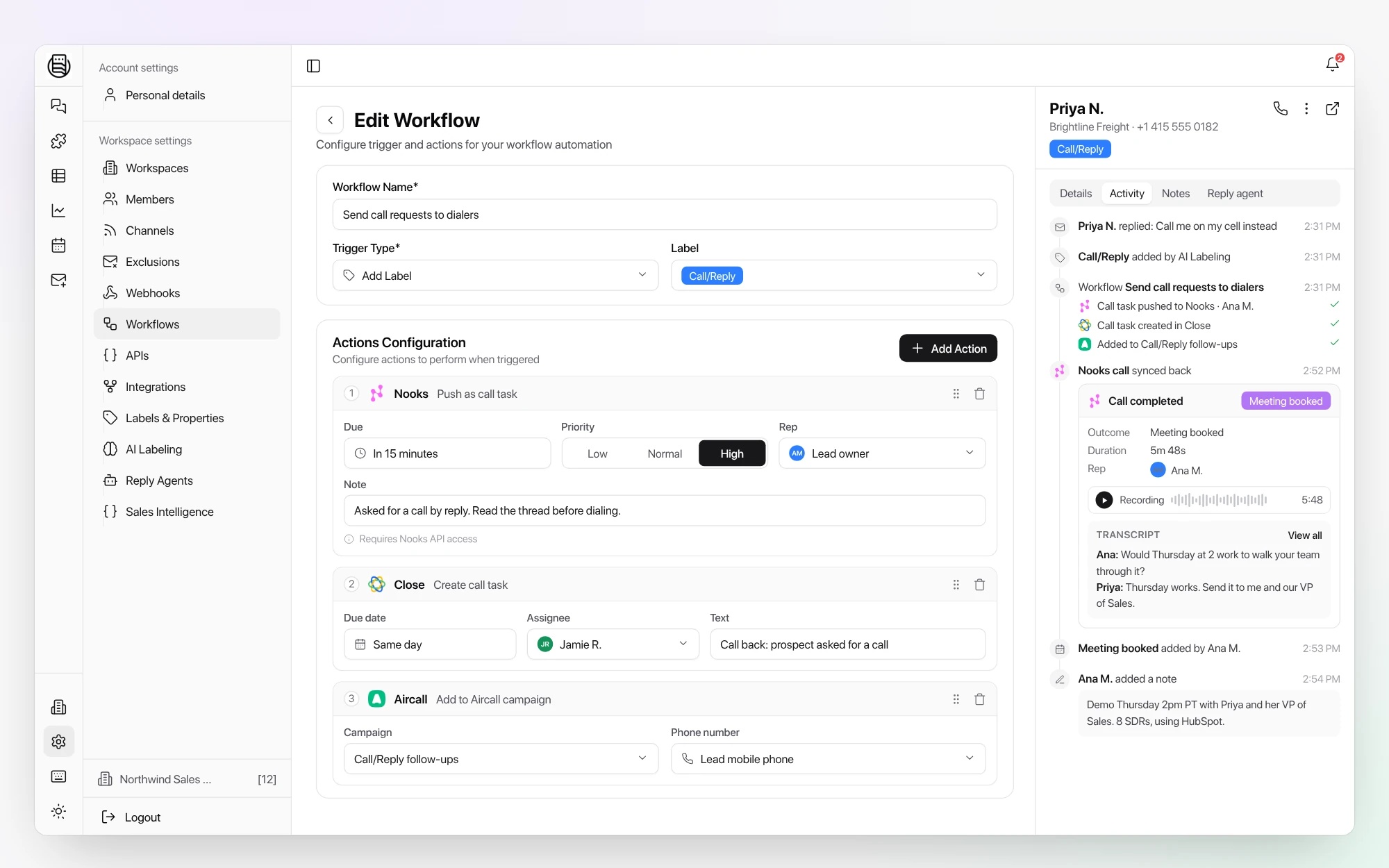
 Aircall
Call from Aircall's app inside the Master Inbox side panel, or add leads to an Aircall campaign from a workflow.
 Nooks
Push a lead as a call task with due time, priority, rep and note (needs Nooks API access). Finished Nooks calls come back to the lead with outcome, recording and transcript.
 Close
A call task is created when a labeled prospect replies, or from a workflow. Phone numbers land in Close's click-to-call list, and a Close status change updates the label.
Using another dialer? Send the lead to it by webhook from a workflow.
Explore more: Lead assignment, Sales Intelligence, Workflows, Integrations
Questions we get
Do I need Twilio for the built-in dialer?
Can reps text leads too?
We already use Nooks. What does Master Inbox send?
How does it work with Close?
Which plan includes the dialer?
See it on your own inboxes
Start your free 7-day POC and we connect your dialer with you, on your own inboxes.
Start your free 7-day POC