
Master Inbox vs Smartlead: Which one should you choose?
On this page
- Key differences (the 5 things that matter most)
- Category fit: what these tools are (and what to evaluate)
- Quick verdict (best for, strengths, tradeoffs)
- Side-by-side comparison (category-specific criteria)
- Deep dive: Master Inbox (where it wins / where it doesn’t)
- Deep dive: Smartlead (where it wins / where it doesn’t)
- Pricing comparison (how to think about cost)
- Integrations & workflows (how each fits your stack)
- Implementation & switching (from Smartlead → Master Inbox)
- Common objections (and what’s true)
- Who should choose Master Inbox?
- Who should choose Smartlead?
- 60-second decision checklist
- FAQs
- Final recommendation
When scaling outbound sales, teams often face a critical decision: which tools will best support their workflow? The "Master Inbox vs Smartlead" debate is a common one for B2B SaaS founders, SDR/BDR teams, and RevOps professionals. While both platforms offer features named "Master Inbox," they serve fundamentally different purposes. Smartlead is an end-to-end cold outreach platform for sending campaigns, while Master Inbox is a specialized layer for managing all prospect replies in one place.
This article will dissect the differences between these two powerful tools. We'll explore their core functions, ideal use cases, and how they can even work together. By the end, you'll have a clear understanding of which solution is the right fit for your team's stage and goals, helping you turn more conversations into revenue without letting replies slip through the cracks.
Key differences (the 5 things that matter most)
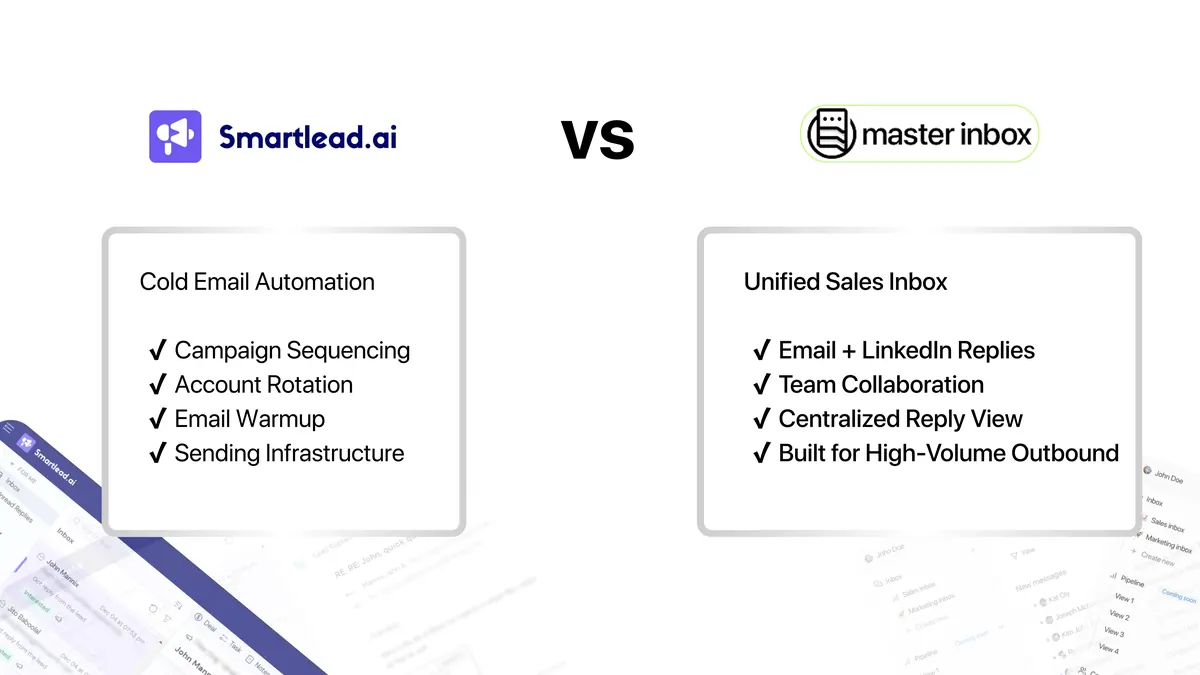
- Core Function: Master Inbox is a dedicated reply management platform that sits on top of your sales stack. Smartlead is a full-suite cold outreach tool for sending campaigns.
- Tool Philosophy: Master Inbox is a specialist tool designed to unify replies from multiple, disparate sources. Smartlead is a generalist tool that includes sending, warm-up, and basic inbox management in one package.
- Primary Use Case: Master Inbox is built for teams to collaboratively manage conversations at scale. Smartlead is built for individuals and teams to execute outreach campaigns.
- Cross-Platform Capability: Master Inbox consolidates replies from virtually any email provider and LinkedIn. Smartlead's inbox is primarily designed to handle replies from campaigns sent through its own platform.
- Integration Model: Master Inbox's core value comes from integrating with sending tools, offering a specific Smartlead and Master Inbox combination. Smartlead integrates with CRMs and other tools to push data out.
Category fit: what these tools are (and what to evaluate)
Both tools operate within the Sales Engagement software category, but they specialize in different areas. To make the right choice, we'll evaluate them based on these key criteria:
- Core Function: Does it send emails or manage replies?
- Reply Handling: How robust and centralized is the inbox?
- Multi-Channel Support: Does it handle just email, or also channels like LinkedIn?
- Team Collaboration: Is it built for a single user or a full sales team?
- Integrations: How well does it fit into an existing tech stack?
- Scalability: Can it support a growing team and increasing reply volume?
- Pricing Model: Is the cost based on users, volume, or features?
Quick verdict (best for, strengths, tradeoffs)
| Category | Master Inbox | Smartlead |
|---|---|---|
| Best for | Sales teams and agencies needing a central command center for all replies. | SDRs and marketers needing an all-in-one platform for sending outreach campaigns. |
| Biggest strength | Unifying replies from every email and LinkedIn account into one view. | Unlimited email warm-up and sender accounts for maximum deliverability. |
| Biggest tradeoff | It's not a sending tool; it requires a separate sequencer to function. | Its native inbox is limited to its own ecosystem and lacks advanced features. |
| Time-to-value | Fast; connects to your existing tools and starts centralizing replies in minutes. | Medium; requires setting up domains, writing copy, and building lead lists. |
| Pricing approach | Tiered by connected mailboxes and client workspaces, unlimited users on every plan. As low as $22 per client at scale. | Usage-based model, primarily driven by the number of active leads. |
Master Inbox is the specialist you hire when reply volume becomes a problem. It solves the specific, high-value issue of managing conversations at scale. Smartlead is the versatile workhorse you use to generate those conversations in the first place. Many advanced teams end up using both to create a powerful, scalable outbound system.
Side-by-side comparison (category-specific criteria)
| Criteria (what matters) | Master Inbox | Smartlead | Notes / proof |
|---|---|---|---|
| Core Function | Reply Management | Email & LinkedIn Sequencing | Master Inbox is a specialized layer; Smartlead is an all-in-one sending platform. |
| Unified Inbox | Yes, consolidates replies from any connected email or LinkedIn account. | Yes, but limited to replies from campaigns sent within Smartlead. | |
| Multi-Channel Support | Email and LinkedIn. | Email and LinkedIn. | Master Inbox excels at combining replies from different platforms, like a LinkedIn message and an email from the same prospect. |
| AI Features | AI-powered categorization of replies (Positive, Objection, etc.). | AI-powered sequence and copy generation. | The focus is different: Master Inbox's AI helps manage responses, while Smartlead's AI helps create campaigns. |
| Team Collaboration | Core feature with shared inboxes, assignments, and Slack integration. | Basic features available, but not the primary focus. | Master Inbox is designed from the ground up for team-based reply management. |
| Key Integrations | Integrates with sending tools like Smartlead, Lemlist, Instantly, Apollo. | Integrates with CRMs like HubSpot, Pipedrive, and Zapier. | The integration strategy reflects the core function of each tool. |
Deep dive: Master Inbox (where it wins / where it doesn’t)
Strengths
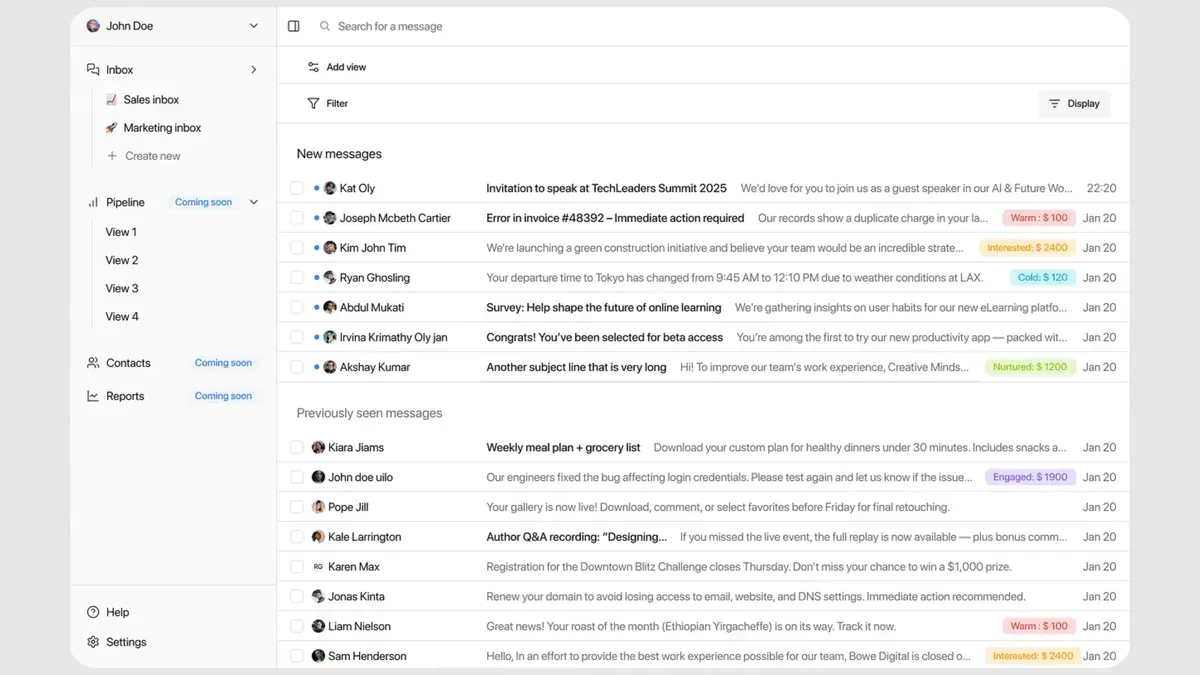
- True Unified Inbox: It pulls in every reply from every connected inbox and LinkedIn account, regardless of which tool sent the original message.
- Prevents Lost Revenue: By centralizing everything, it ensures no positive reply or buying signal is missed in a cluttered or forgotten inbox.
- Seamless Integrations: It connects directly with all major sending platforms, including a native Lemlist Master Inbox integration and others.
- Built for Teams: Features like reply assignment, internal notes, and real-time Slack notifications are designed for collaborative sales pods.
- AI-Powered Triage: Automatically categorizes replies as interested, objections, out-of-office, etc., so your team can focus on the most important conversations first.
- Channel Agnostic: Whether a lead replies to your email or a LinkedIn message, you see the entire conversation history in one thread.
Weaknesses / limitations
- Not a Sending Tool: You cannot create or send outreach sequences with Master Inbox. It is purely for reply management.
- Requires Existing Outreach: The tool's value is directly proportional to the volume of replies you're already generating. It's not for teams who aren't doing any outbound.
- Dependent on Other Tools: Its function relies on having at least one sequencer (like Smartlead, Instantly, etc.) in your stack.
Ideal use cases
- Sales teams with 3+ SDRs managing hundreds of replies per week.
- Agencies running outbound campaigns for multiple clients and needing to centralize all communications.
- Companies using a multi-channel outreach strategy across both email and LinkedIn.
- RevOps leaders looking to build a scalable, leak-proof sales process.
Deep dive: Smartlead (where it wins / where it doesn’t)
Strengths
- All-in-One Platform: It handles domain warm-up, sequencing, sending, and basic reply management in a single subscription.
- Unlimited Sending Accounts: A major advantage for deliverability, allowing you to scale outreach across many inboxes without extra cost.
- Robust Sequencing: Offers advanced features like conditional logic (if/then), A/B testing, and multi-channel steps.
- Agency-Friendly: Includes features for managing multiple client workspaces from a single login.
- Strong Auto-Warmer: Its native email warm-up tool is included and helps maintain sender reputation.
Weaknesses / limitations
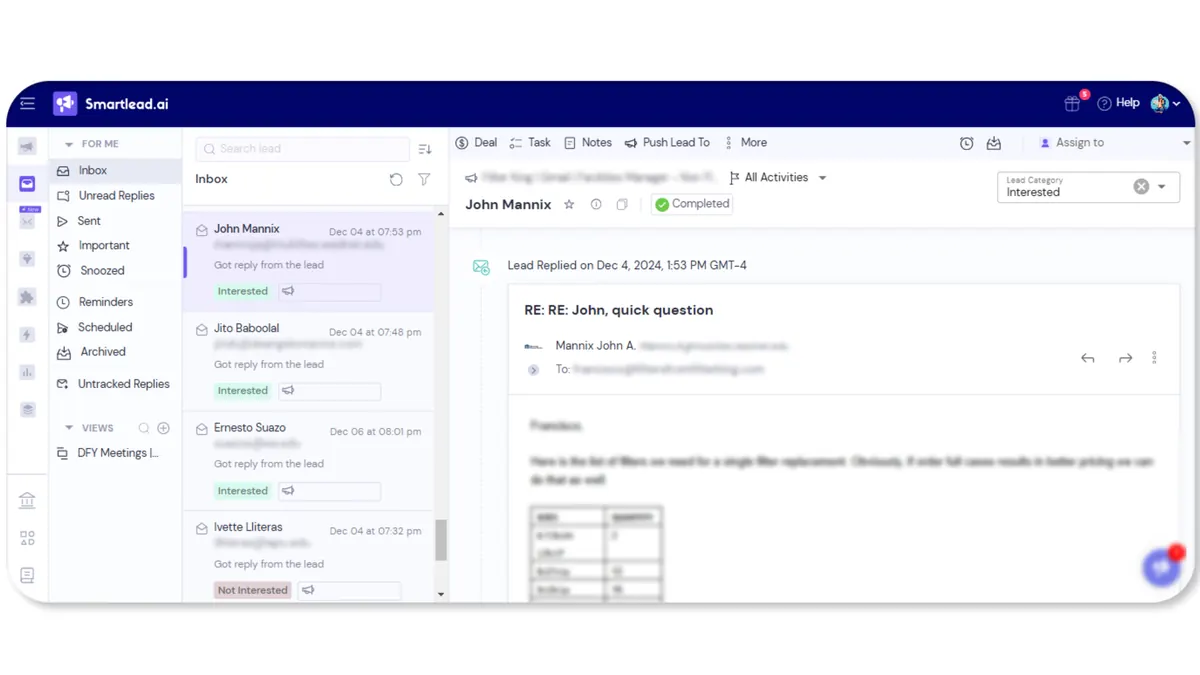
- Siloed Inbox: The "Master Inbox" only tracks replies to campaigns sent from Smartlead, so any inbound leads or replies from other channels (like LinkedIn InMail) are not included.
- Limited Collaboration: While functional, the inbox lacks the advanced assignment, routing, and notification features of a dedicated tool like Master Inbox.
- Can Become Overwhelming: For teams with high reply volume, managing conversations directly within the same tool used for sending can become cluttered and inefficient.
Ideal use cases
- Startups or small businesses launching their first cold outreach campaigns.
- Solo entrepreneurs or small sales teams who want a single tool to manage everything.
- Lead generation agencies that need to manage sending infrastructure for their clients.
Pricing comparison (how to think about cost)
Master Inbox and Smartlead use fundamentally different pricing models that reflect their core purpose. You are not paying for the same thing.
Master Inbox does not price per seat. According to their official pricing page, every plan includes unlimited users, and pricing scales with connected mailboxes and client workspaces instead. Your whole team can work the inbox without adding cost per rep.
Smartlead uses a usage-based model. Their pricing is primarily determined by the number of active leads you are engaging in your campaigns. This is typical for sending platforms, where the main cost driver is the volume of outreach you are performing. The cost scales with the size of your campaigns.
Therefore, the financial decision isn't about which is cheaper, but what you are paying for: team access and collaboration (Master Inbox) versus outreach volume (Smartlead).
Integrations & workflows (how each fits your stack)
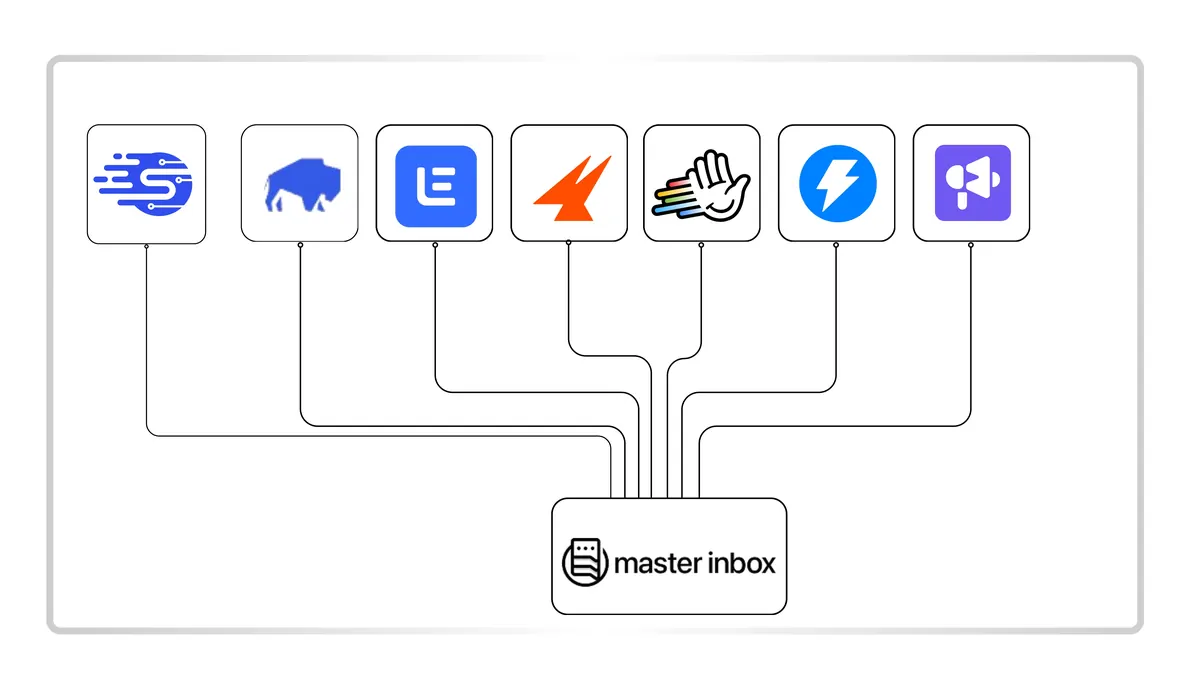
How a tool fits into your existing workflow is critical. Master Inbox is designed to be the central hub, while Smartlead is a powerful spoke in that system.
Master Inbox is built to be the integration layer for all your outbound efforts. The typical workflow involves:
- Sending campaigns from your preferred tool (e.g., Smartlead, HeyReach, Instantly).
- Master Inbox automatically pulls in all replies from the connected email and LinkedIn accounts.
- Replies are categorized by AI, and your team manages them in one unified interface, with notifications pushed to Slack.
This creates a clean separation of concerns: sending tools send, and Master Inbox manages the resulting conversations. This is why it has deep integrations with platforms across the ecosystem.
Smartlead integrates primarily to push data to other systems. For example, you can connect it to your CRM (like HubSpot or Pipedrive) via native integration or Zapier to automatically create a new deal when a prospect shows interest. Its integration philosophy is about moving data from the top of the funnel further down.
Implementation & switching (from Smartlead → Master Inbox)
This isn't a traditional "switch" but rather an augmentation. You don't replace Smartlead; you enhance its reply management capabilities by adding Master Inbox. Here’s a 7-day validation plan:
- Day 1: Connect Accounts. Sign up for Master Inbox and connect your primary sending tool (Smartlead) and all associated email/LinkedIn accounts.
- Day 2: Configure Settings. Set up your team members, create rules for reply assignment, and integrate with your team's Slack workspace.
- Day 3: Run Parallel. Keep your existing campaigns running in Smartlead. Monitor replies as they appear in both Smartlead's native inbox and Master Inbox.
- Day 4: Test Categorization. Observe how Master Inbox's AI correctly tags replies as 'Interested', 'Objection', 'Not Interested', etc. Compare this to manually sorting in Smartlead.
- Day 5: Collaborate. Use the assignment and internal notes features to handle a few positive replies with your team directly within Master Inbox.
- Day 6: Measure Efficiency. Ask your team: how much faster is it to identify and respond to high-intent leads in a single, clean inbox?
- Day 7: Decide. Evaluate the time saved and the reduced risk of missed replies. The clarity and organization should speak for themselves.
Common objections (and what’s true)
But doesn't Smartlead already have a master inbox?
Yes, it does. However, it's a feature limited to the Smartlead ecosystem. It cannot see or manage replies that come from your LinkedIn outreach, other sending tools, or direct inbound inquiries to the same mailboxes.
Is Master Inbox just another complex tool to manage?
No, it's a simplicity tool. Its entire purpose is to reduce complexity by consolidating dozens of messy inboxes and channels into one clean, manageable view. Setup takes minutes.
Is it worth paying for another tool on top of my sequencer?
Consider the cost of a single missed opportunity. If a qualified lead replies with interest but is missed in a cluttered inbox, that lost deal could be worth thousands. As detailed on the Master Inbox pricing page, the ROI is measured in captured revenue, not just saved time.
Who should choose Master Inbox?
- Teams using more than one outreach channel (e.g., email and LinkedIn).
- Sales organizations with three or more SDRs.
- Agencies managing campaigns for multiple clients.
- Companies where replies are frequently missed or responded to late.
- RevOps leaders who need a single source of truth for all sales conversations.
- Anyone using a sending tool like Smartlead who finds the native inbox limiting.
- Teams that value collaboration and want to assign and track replies efficiently.
Who should choose Smartlead?
- Individuals or small teams just starting with cold outreach.
- Users who need an all-in-one solution for sending, warm-up, and basic tracking.
- Agencies looking for a powerful, scalable sending infrastructure to manage client campaigns.
- Anyone prioritizing deliverability with features like unlimited sending accounts.
- Teams whose reply volume is still low and easily manageable within a single inbox.
- Users who are not yet doing significant outreach on channels outside of email.
60-second decision checklist
Answer these questions to find your fit:
- Do you use more than one outreach tool (e.g., for email and LinkedIn)? (Yes → Master Inbox)
- Do you have more than two people managing outbound replies? (Yes → Master Inbox)
- Are you looking for a tool to send cold emails? (Yes → Smartlead)
- Have you ever missed a positive reply because it was lost in an inbox? (Yes → Master Inbox)
- Is your primary goal to maximize email deliverability and sending volume? (Yes → Smartlead)
- Do you need to manage replies from multiple clients in one place? (Yes → Master Inbox)
- Is your budget limited to a single, all-in-one tool for now? (Yes → Smartlead)
- Do you need to automatically categorize replies by intent (e.g., interested vs. objection)? (Yes → Master Inbox)
FAQs
Can I use Master Inbox and Smartlead together?
Yes, this is the ideal setup for many scaling teams. Use Smartlead for its best-in-class sending capabilities and Master Inbox for its superior, centralized reply management.
What is the main benefit of a unified inbox?
It creates a single source of truth. Instead of reps checking 5+ different inboxes (their own, a shared one, LinkedIn, etc.), every single reply from every channel is in one place, ensuring nothing gets missed.
How does Master Inbox handle LinkedIn replies?
It integrates with your LinkedIn account to pull in replies to your connection requests and InMails, displaying them in the same unified thread as your email conversations with that prospect.
Is Master Inbox a CRM?
No, Master Inbox is not a CRM. It is a reply management tool that integrates with your sending tools and sits at the top of the sales funnel. It helps you manage the initial conversation before handing a qualified lead off to your CRM.
How long does it take to set up Master Inbox?
Setup is fast. You can connect your email accounts, LinkedIn profiles, and sending tools like Smartlead during a guided onboarding session and start seeing replies consolidate immediately.
Final recommendation
The choice between Master Inbox and Smartlead becomes simple when you understand their roles. They are not direct competitors but complementary tools for different jobs. Smartlead is the engine for generating conversations through powerful, scalable outreach. Master Inbox is the command center for managing those conversations effectively and ensuring no opportunity is lost.
If you are just starting out, Smartlead provides everything you need to get your outbound engine running. However, once you achieve success and replies start flooding in from multiple channels, its native inbox will become a bottleneck. For any serious B2B team or agency, the question isn't if you need a dedicated reply management solution, but when. By combining Smartlead's sending power with the organizational clarity of a truly unified inbox, you create a best-in-class stack built for scale.